

FiiO - K19
Flagship Desktop DAC & Amp
₹ 99,999
Inclusive of all taxes
DELIVERY
Dispatches in 48 hours
RETURNS & WARRANTY
7 Day Replacement Guarantee
1 Year Warranty
Meet The Next Gen Flagship Desktop DAC & Amp From FiiO - The K19
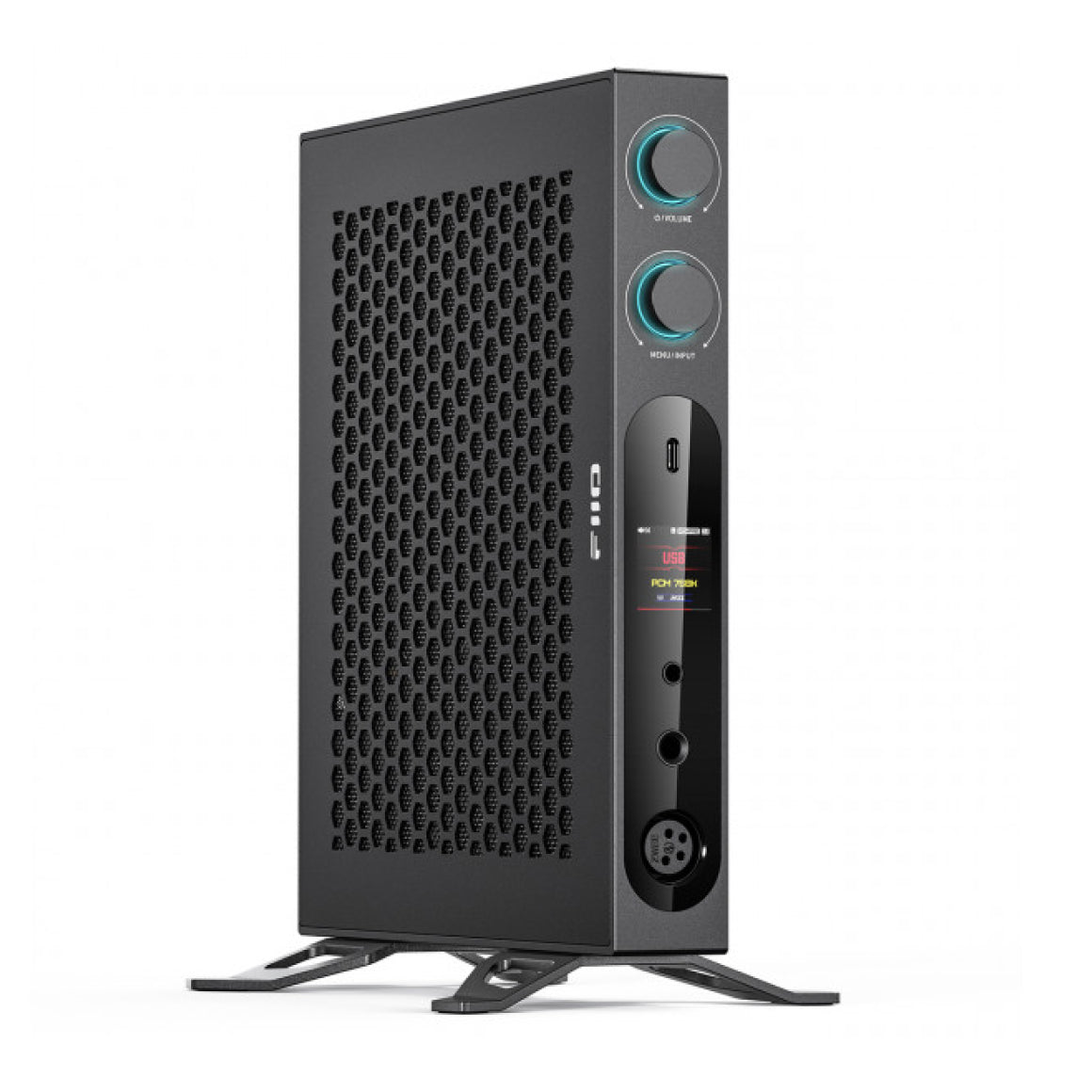
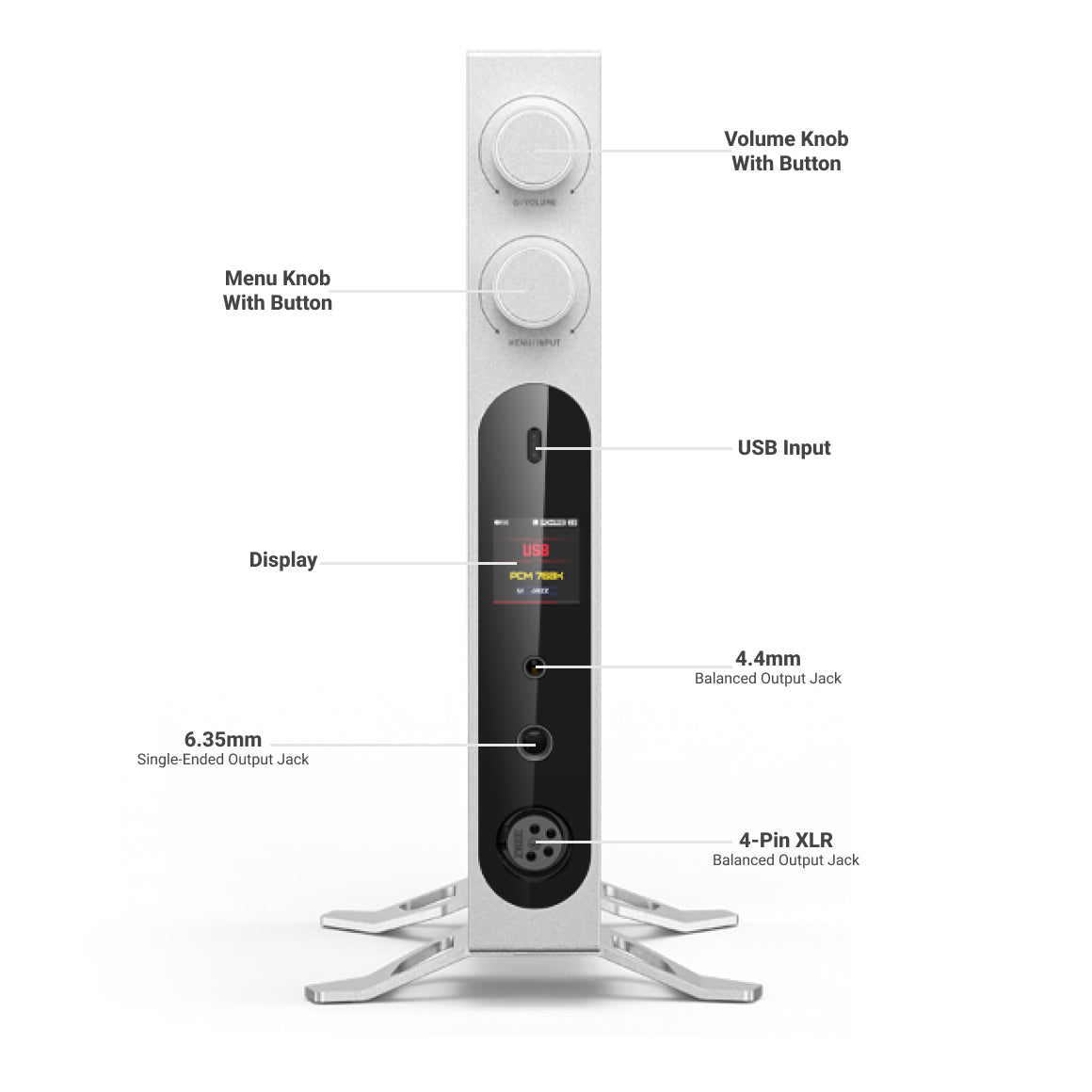
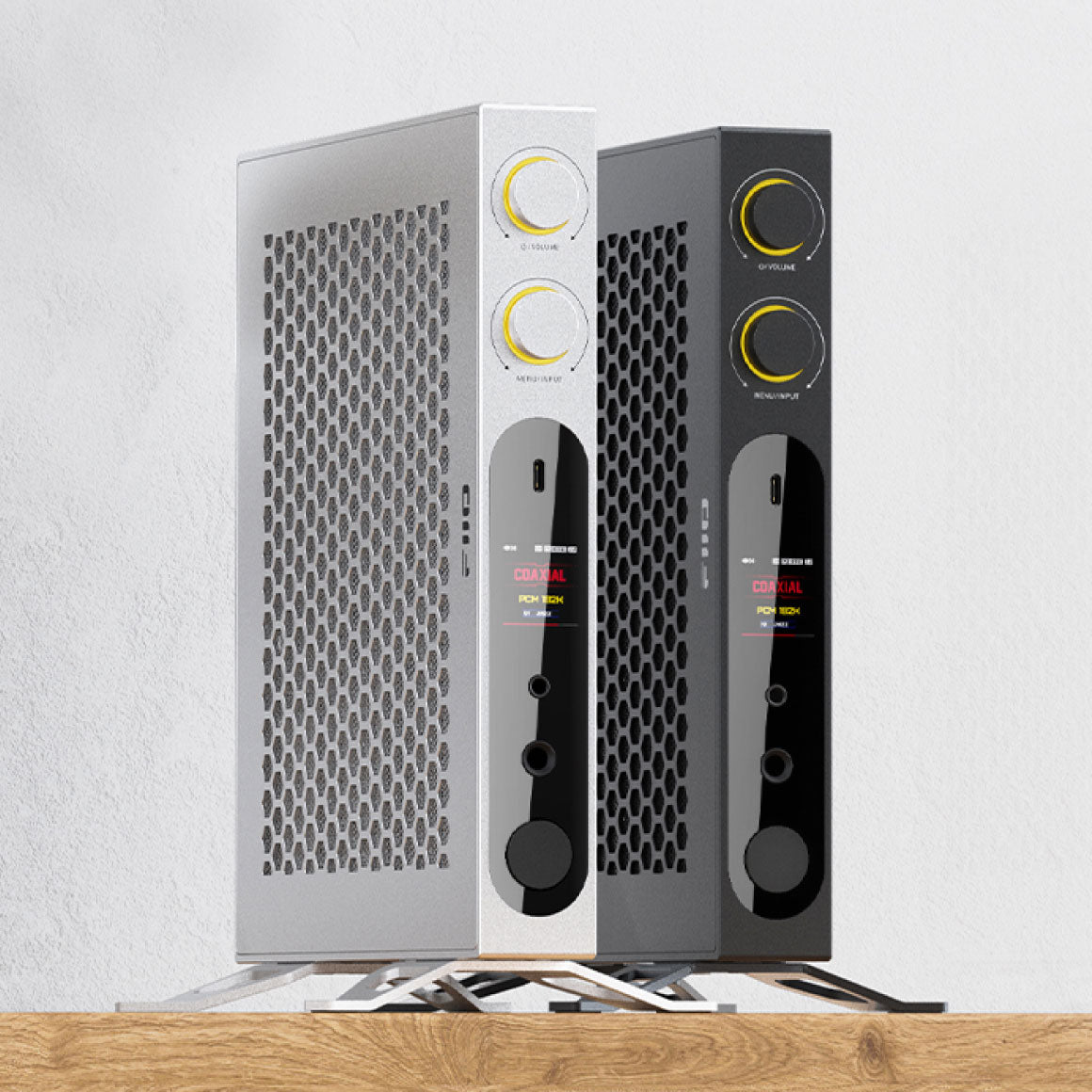
FiiO has introduced its flagship desktop DAC & Amp, incorporating several new technologies never seen before in FiiO's desktop products. The FiiO K19 features dual ESS 8-channel flagship DAC ES9039SPRO and THX AAA 788+ amplification technology for outstanding sound quality. It is a Hi-Res Audio and Hi-Res Audio Wireless certified device with MQA decoding support and offers a 31-band high-precision lossless PEQ. With a powerful output of 8000mW+8000mW, the FiiO K19 includes three headphone outputs and multiple inputs for seamless connectivity, all wrapped in a flagship design.
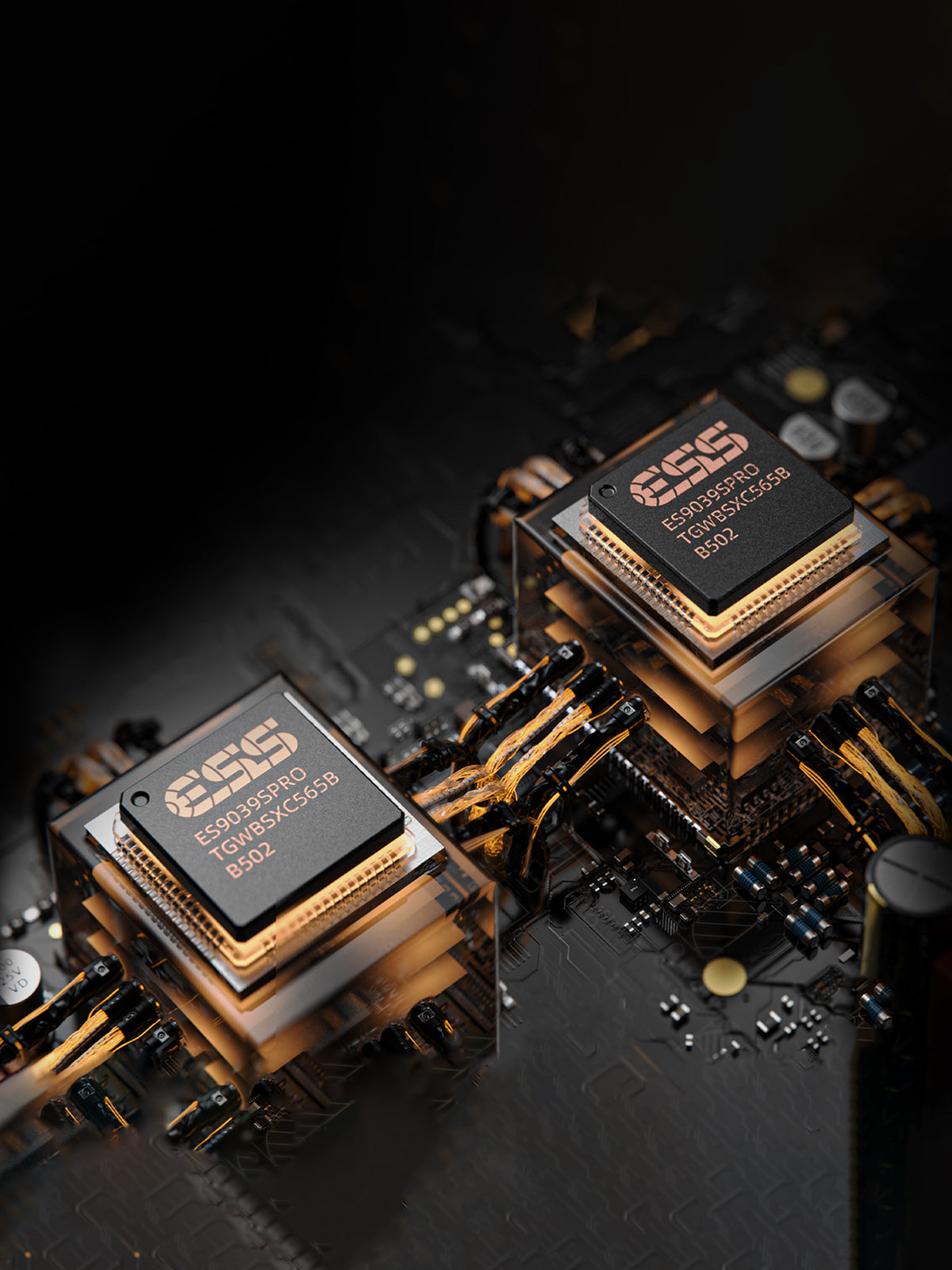
Detailed Sound with ESS Sabre DAC Chipsets
The FiiO K19 houses the two flagship ESS 8-channel ES9039SPRO DAC chipsets. These chips utilise the fourth-generation 32Bit HyperStream architecture, delivering ultra-high dynamic range and minimal noise. The FiiO K19 ensures clear, rich audio output with exceptional detail, with a remarkable -122dB THD+N and 132dB DNR.
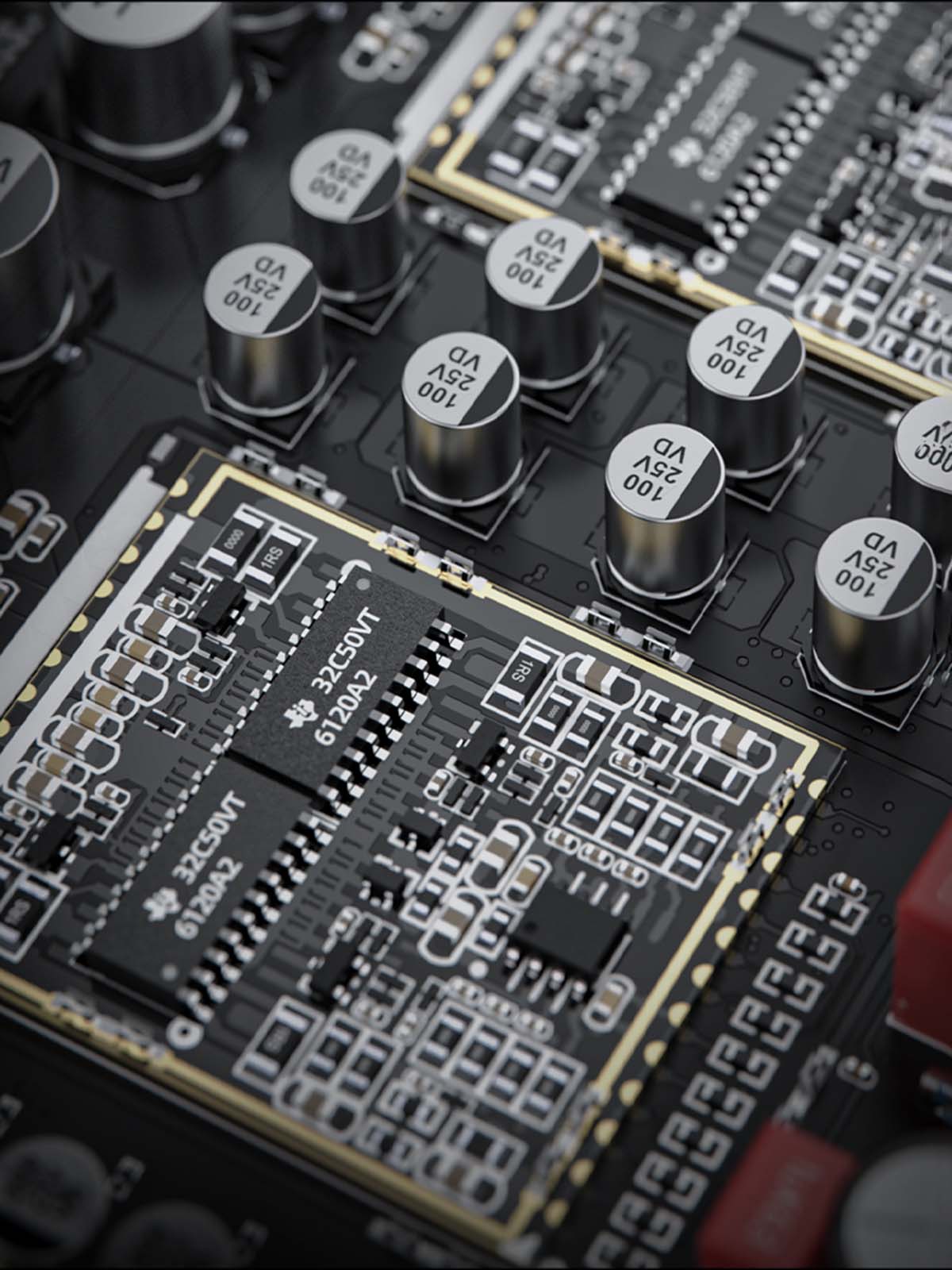
Features THX AAA 788+ And Op-amps For Powerful Amplification
The FiiO K19 features an advanced headphone amplifier design with an 8-channel THX AAA 788+ architecture. This amplifier circuit functions parallelly, supported by a high-voltage power supply. The THX amp chips are grouped in 2×2 sets to create a fully balanced 4-channel amplification system, delivering improved transients and a high-power output of up to 8000mW+8000mW into a 32-ohm load. This design enables the FiiO K19 to drive a wide range of headphones while maintaining distortion-free power output. Also, the OPA2211 and OPA1602 op-amps ensure stable, high-quality sound across I/V, LPF and preamplifier circuits.
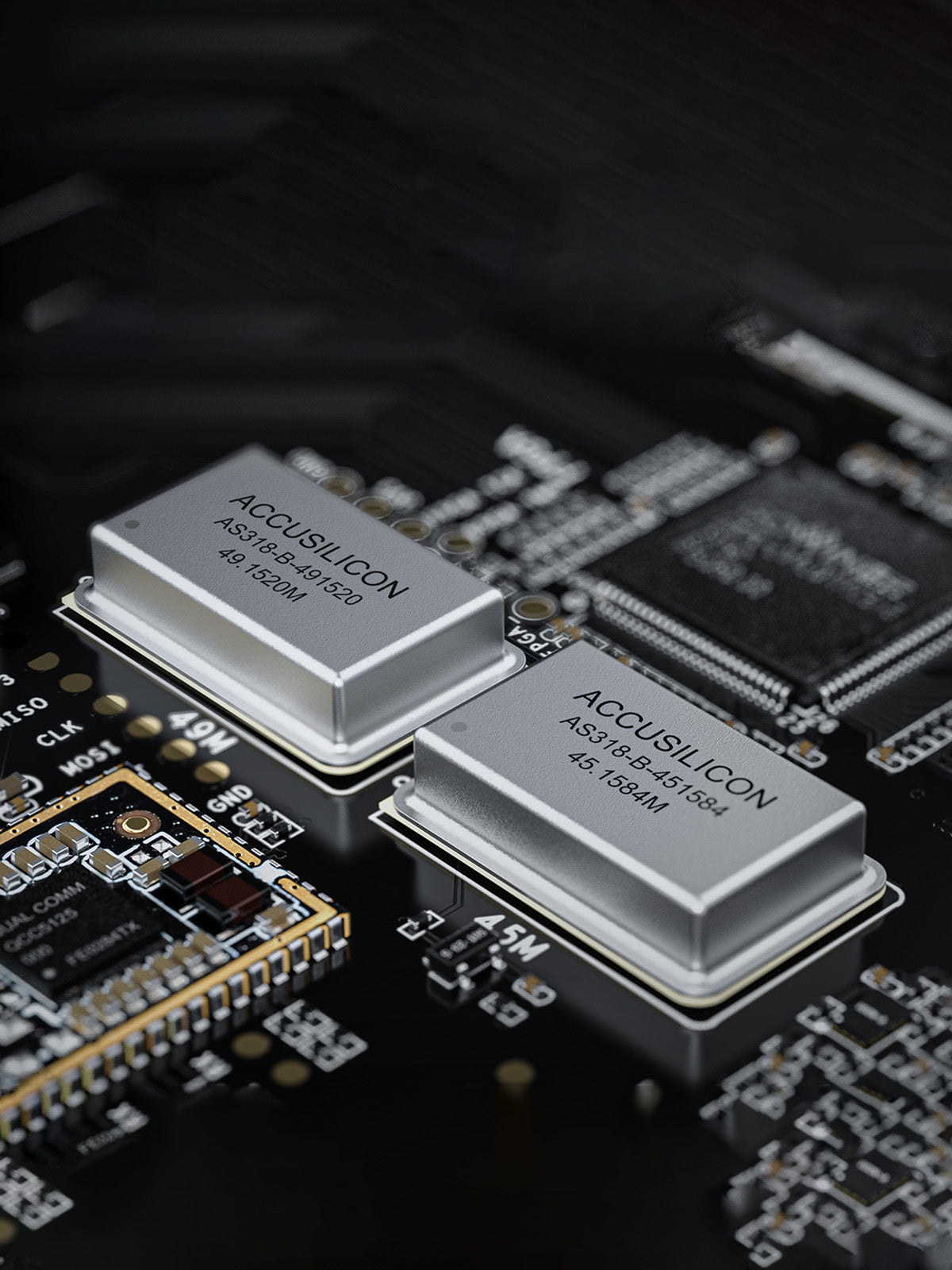
Accurate Audio Across Sampling Rates With Crystal Oscillators
The FiiO K19 utilises two high-performance ACCUSILICON AS318-B femtosecond crystal oscillators (45.1584MHz, 49.1520MHz), known for their ultra-low phase noise characteristics. These oscillators undergo rigorous pre-screening, ensuring their quality before housing into the FiiO K19. They minimise phase noise and contribute to accurate audio reproduction across various sampling rates for a clean and more stable sound regardless of your source sampling rate.
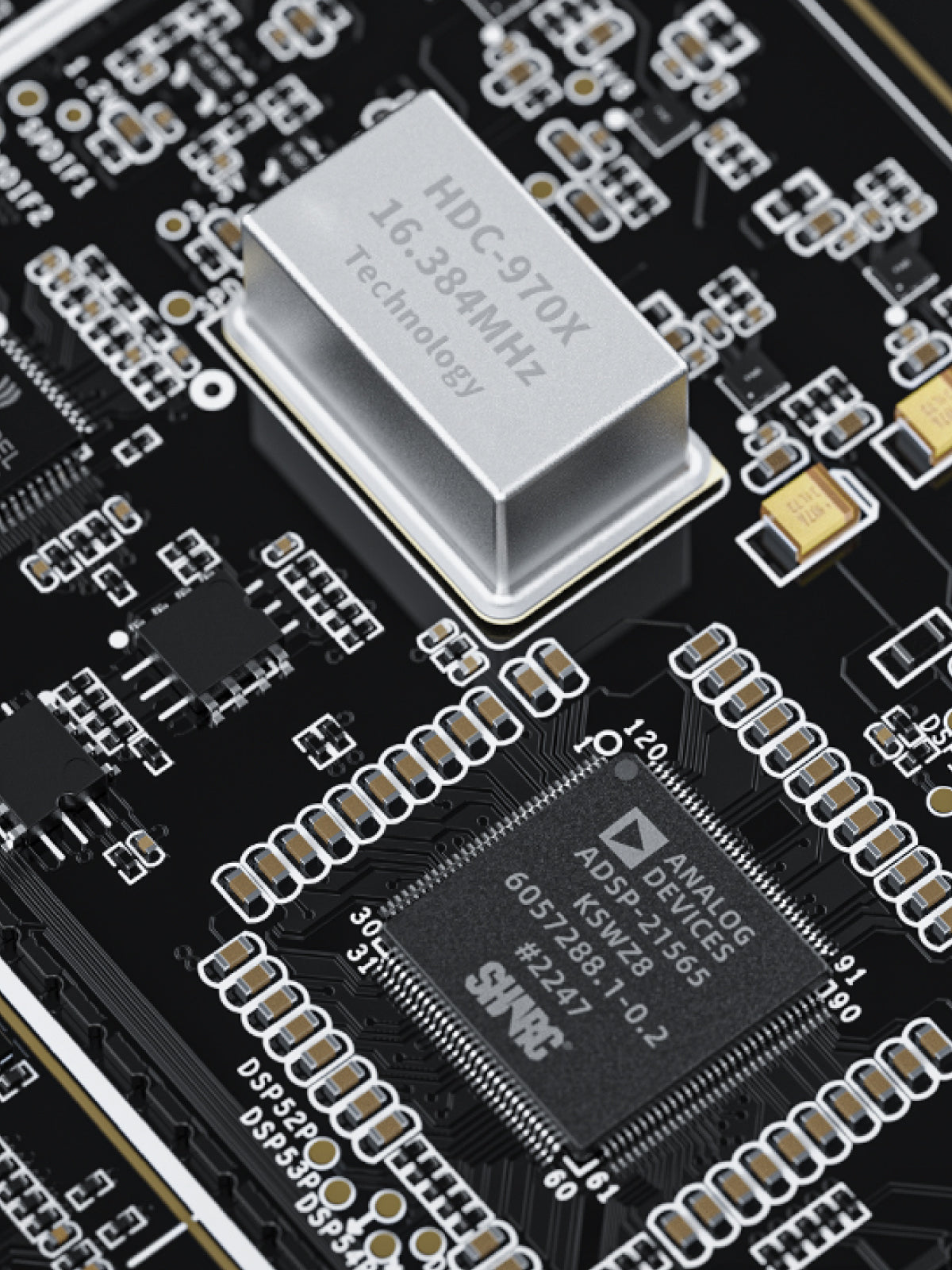
Minimal Distortion With DSP Chipset And SHARC+ Core
For the first time in FiiO product, they have introduced the ADI ADSP-21565 DSP chip with SHARC+ core, paired with a custom ultra-low phase noise femtosecond crystal oscillator. The DSP chip operates at a high clock frequency range of 800MHz and enables 64-bit double-precision floating point calculations. It provides a 31-band high-precision lossless PEQ and robust system protection for the K19 and connected devices, ensuring high-quality audio with minimal distortion.
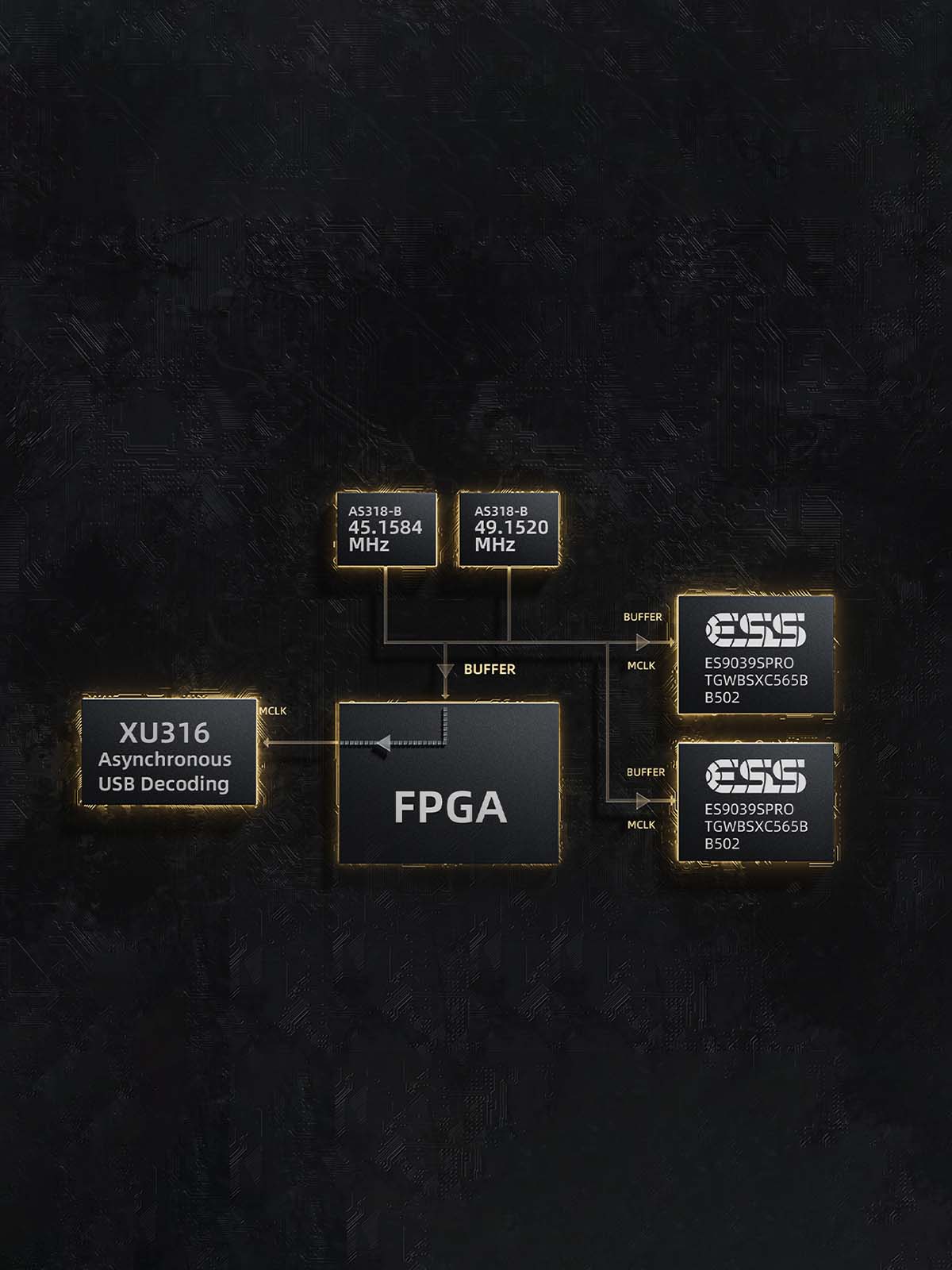
Quad Core FPGA Architecture For Clean Signal Transmission
The FiiO K19 features a quad-core FPGA for digital signal processing for Bluetooth, USB, coaxial, optical, HDMI/ARC signal decoding and DSP processing. It transmits these signals through dual ES9039SPRO DACs through two sets of I2S channels for minimal distortion. It also features Global clock management to ensure low-jitter signals, with a fully balanced design to reduce crosstalk.
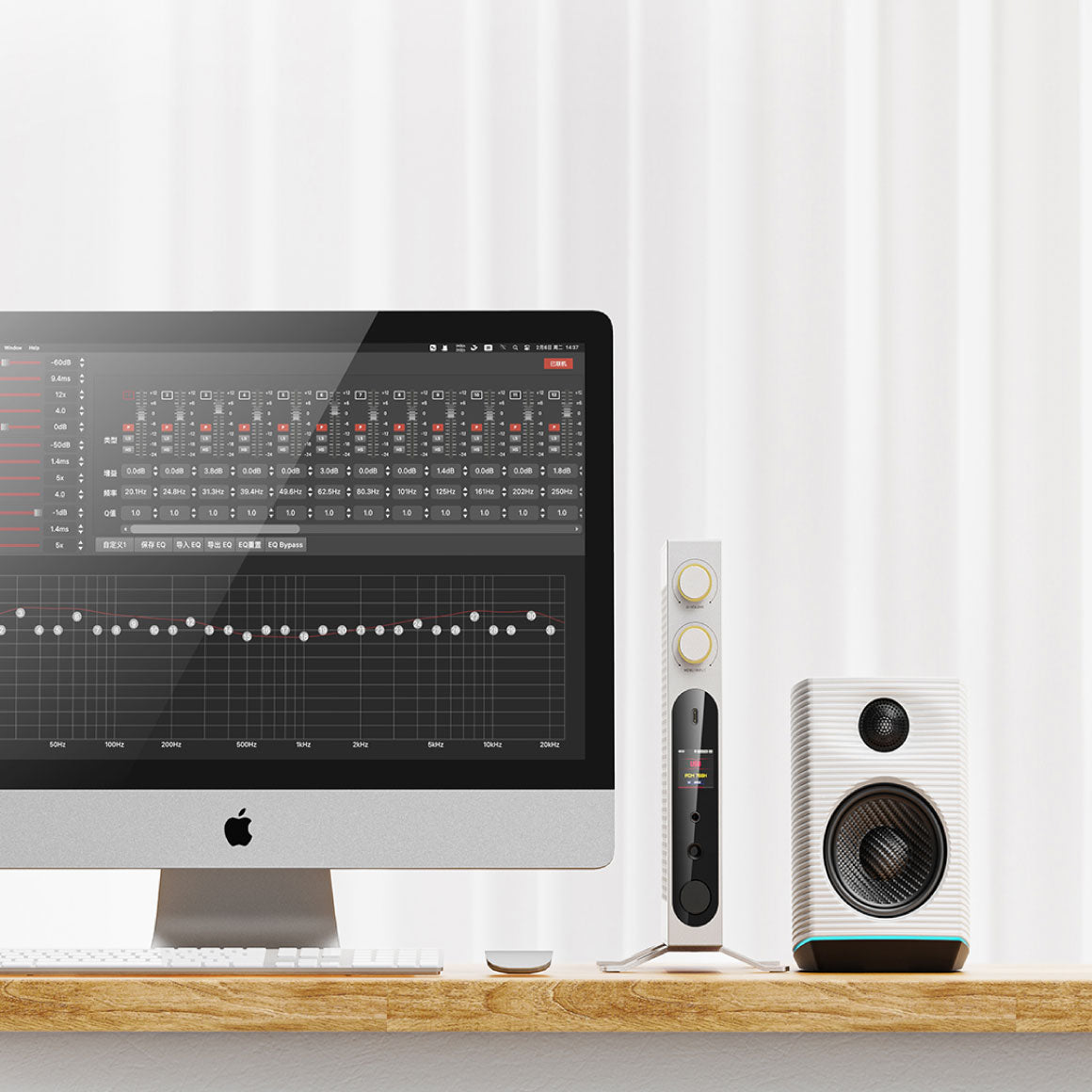
Sound Customization With 31-band PEQ With DEL Technology
The FiiO K19 offers a 31-band high-precision lossless PEQ with DEL technology for dynamic range effects and an advanced limiter to prevent clipping. It supports direct adjustment of PCM 44.1k~192k audio signals without sampling rate conversion. You can adjust each band's gain from +12 to -24dB and the Q value from 0.4 to 128 dB. Your PEQ presets can be shared, imported and exported using Windows, Mac, or the mobile app, expanding sound adjustment options.
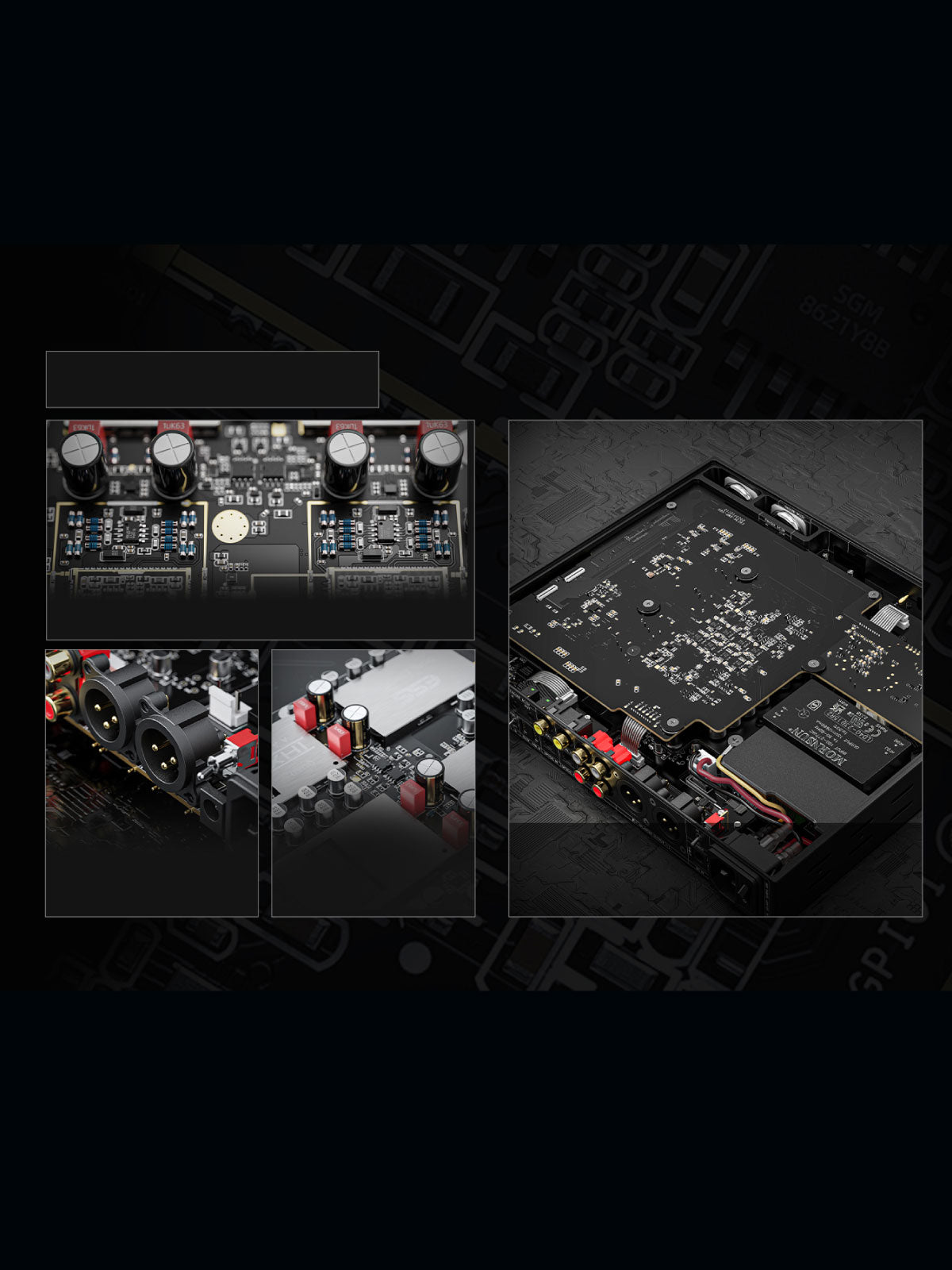
Embedded With Quality Components For Powerful Performance
The FiiO K19 equips quality components like the Panasonic film capacitors and MELF resistors, for maintaining stable sound across temperature changes. Its NEUTRIK gold-plated connectors are oxidation-resistant for reliable connections. The FiiO K19 aims to deliver improved sound quality and a wider soundstage with WIMA and ELNA SILMIC II capacitors. It employs silver-plated oxygen-free copper cables for minimal signal loss and high-fidelity audio transmission between internal components.
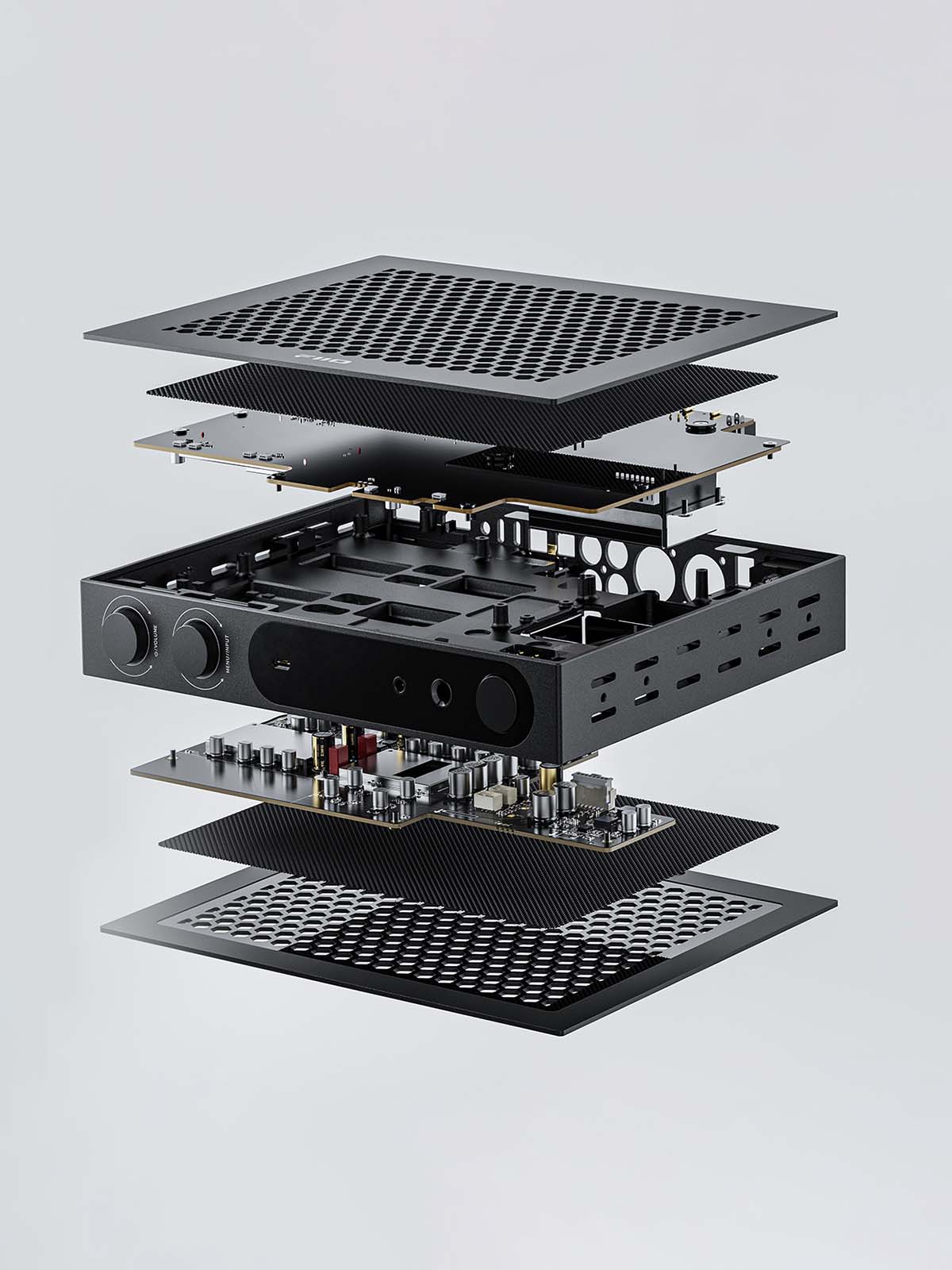
Noise-free Audio With Shielded and Separated Circuit Design
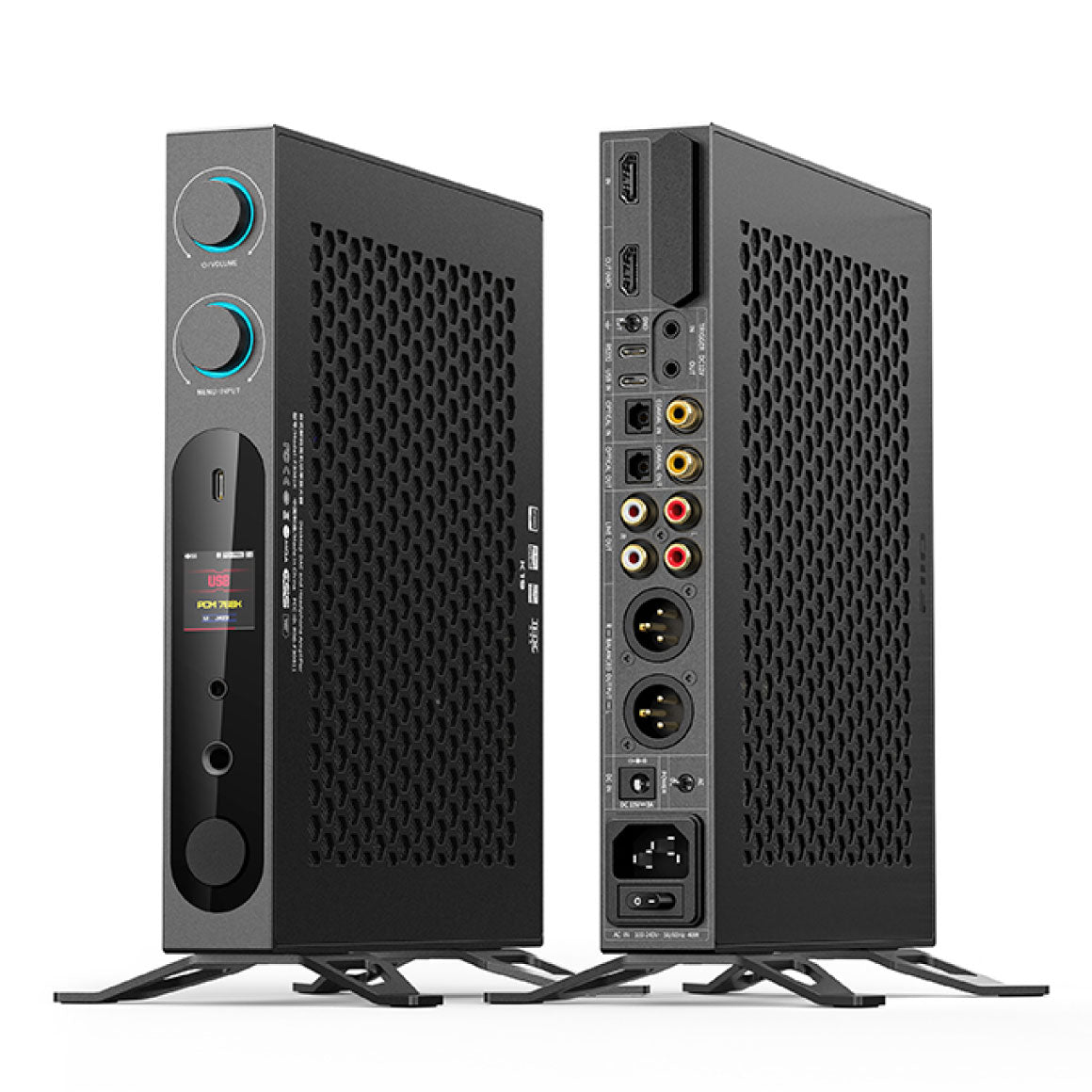
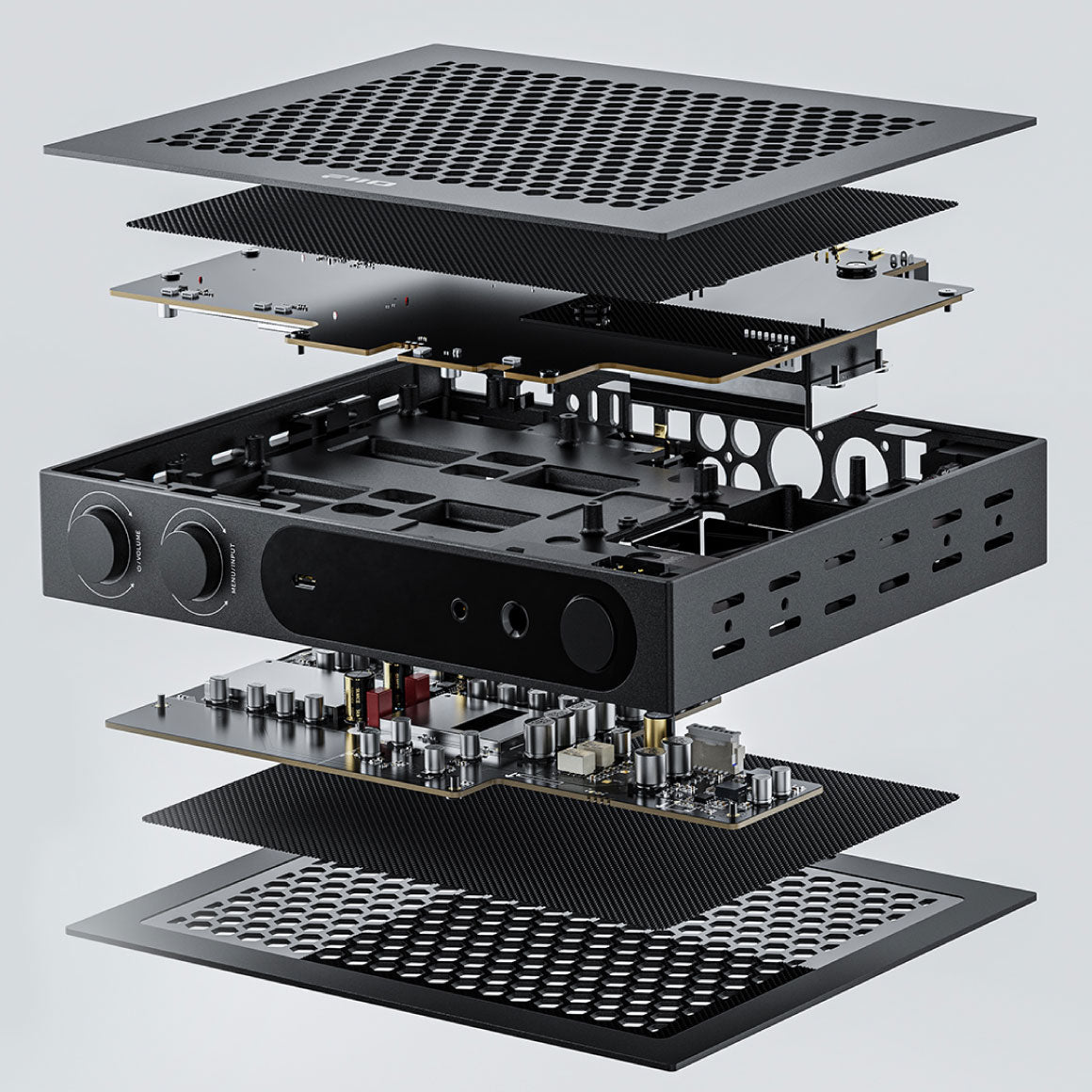
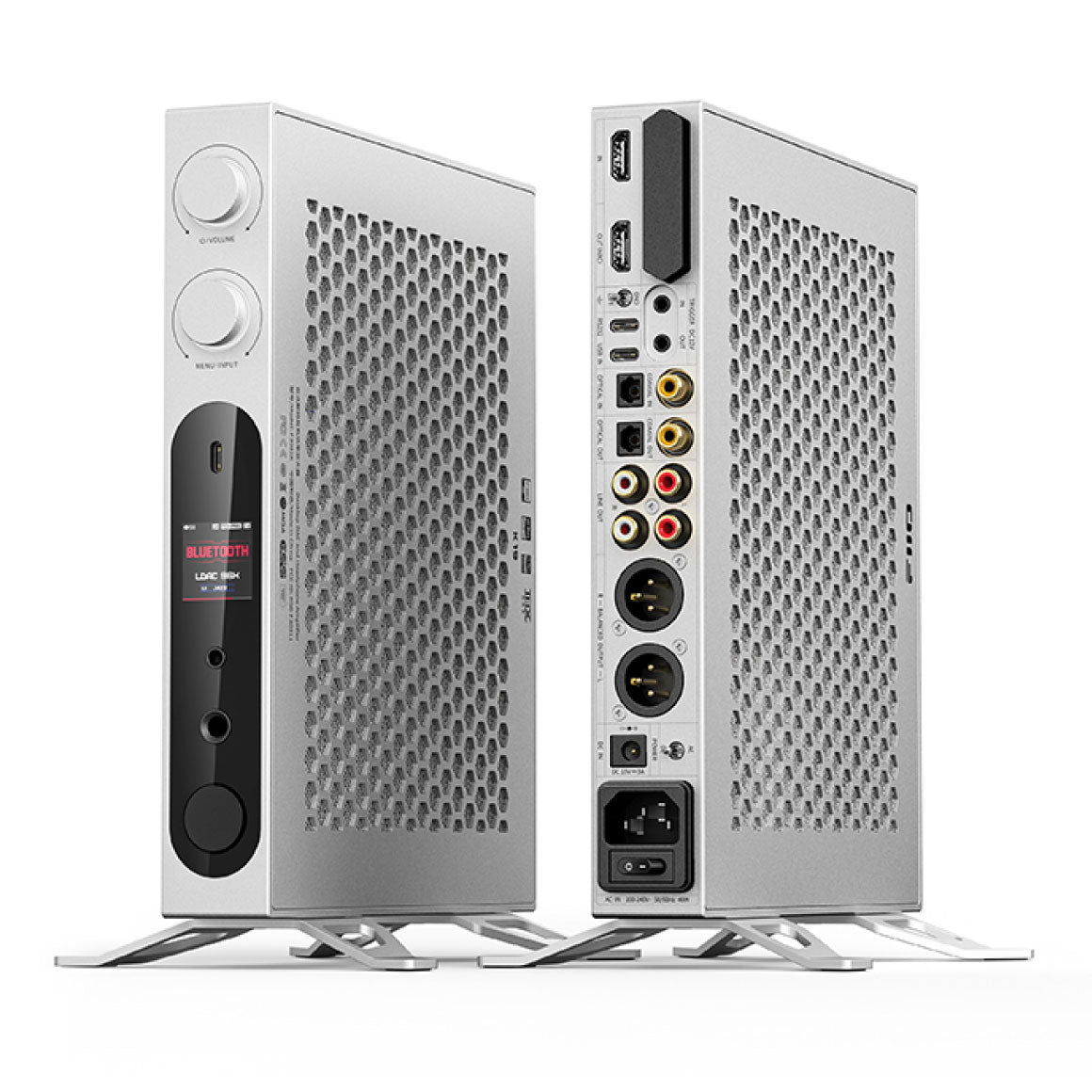
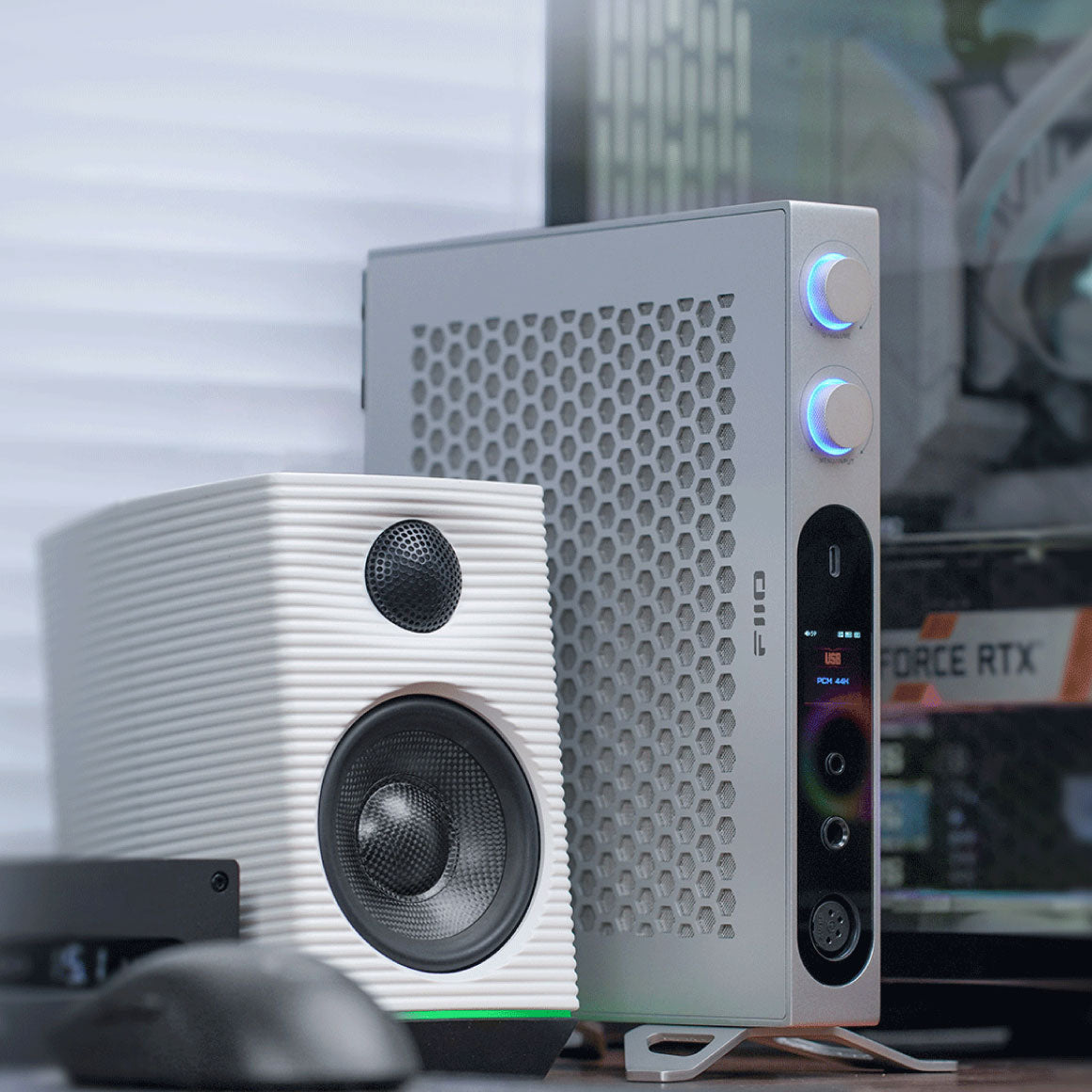
The FiiO K19 features separated and shielded circuit boards for better performance. Its digital and analog audio circuits are isolated on separate boards to reduce interference, with metal shields on the DSP, DAC and THX amplifier boards. The design includes compartmentalised aluminium alloy for isolating the digital and module boards, reducing crosstalk and improving signal purity. The honeycomb-mesh aluminium alloy body also reduces external interference, delivering a pure and clean music-listening experience.
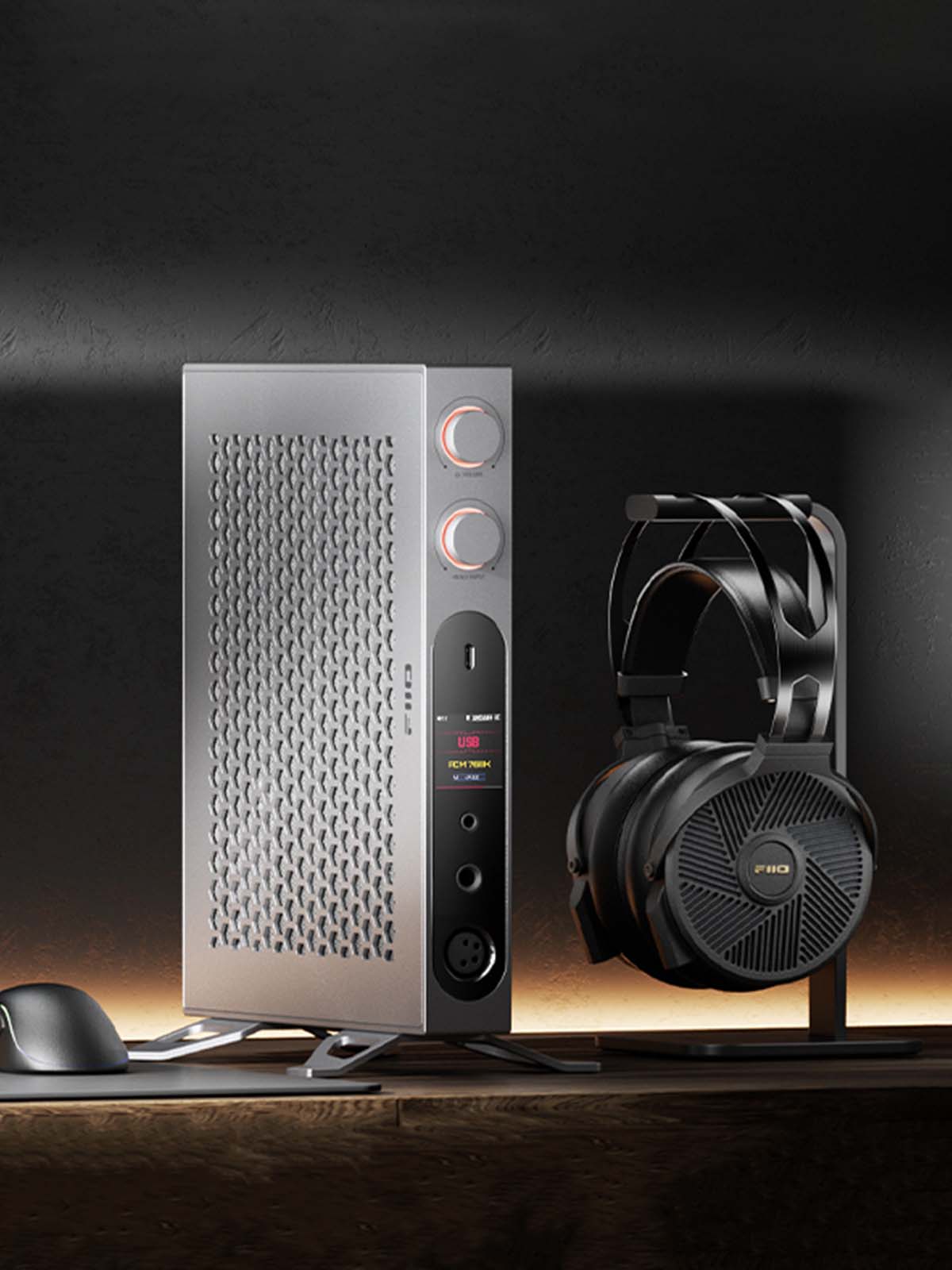
Robust Power Supply System Delivering Low-Noise Power
The FiiO K19 has a meticulous power supply system with a DC/AC dual power supply, offering a 40W industrial-grade unit with low noise and high efficiency. It supports a wide input voltage range (85-305VAC) and extreme temperatures and can also use an external DC power supply (15V-3A) for enhanced audio performance. The FiiO K19 has separate analog and digital power supplies to prevent interference and it also has a multi-stage analog power supply with LDOS for clean and stable power for optimal audio quality across different circuit stages.
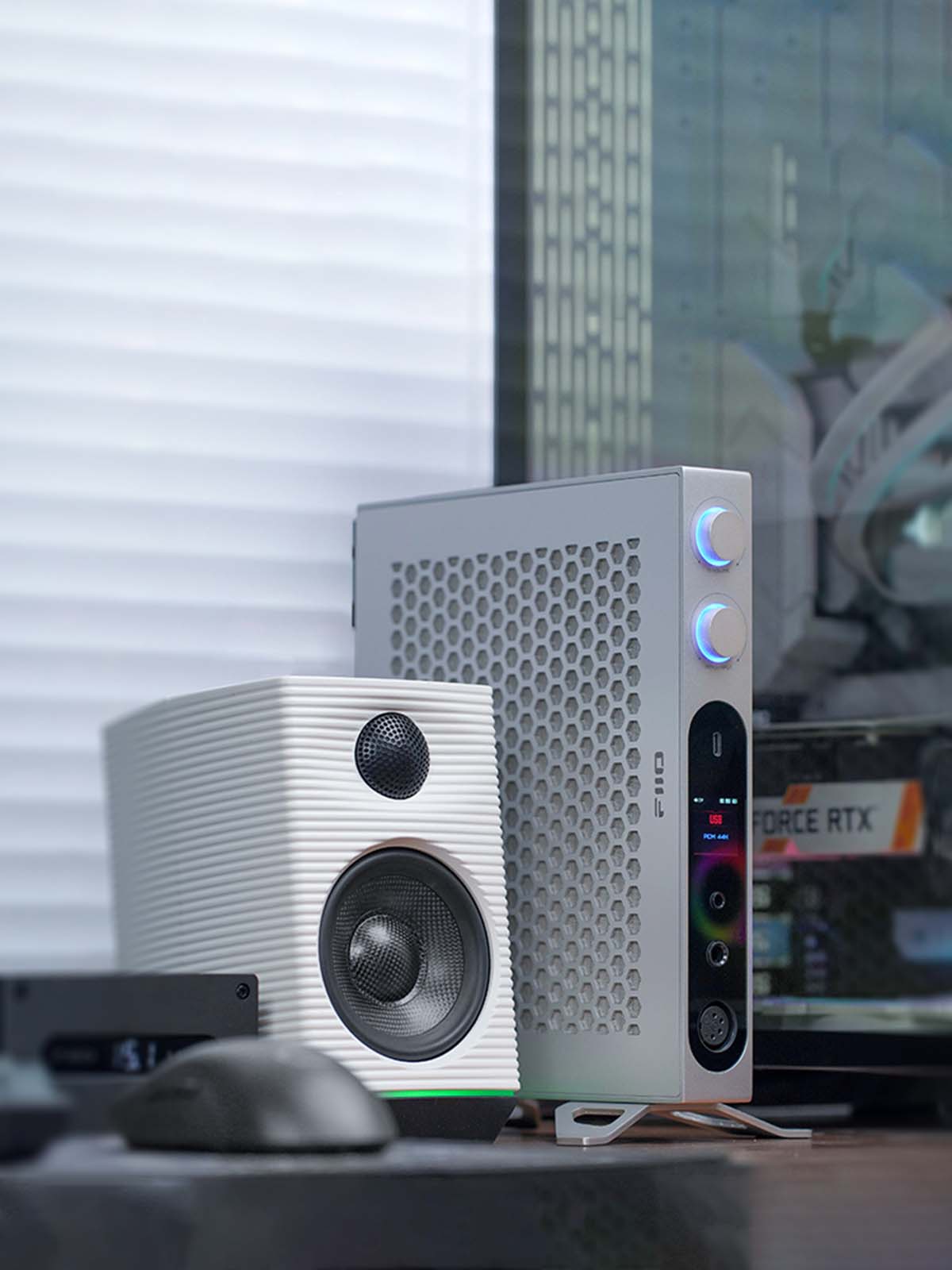
Versatile Connectivity With Multiple Inputs And Outputs
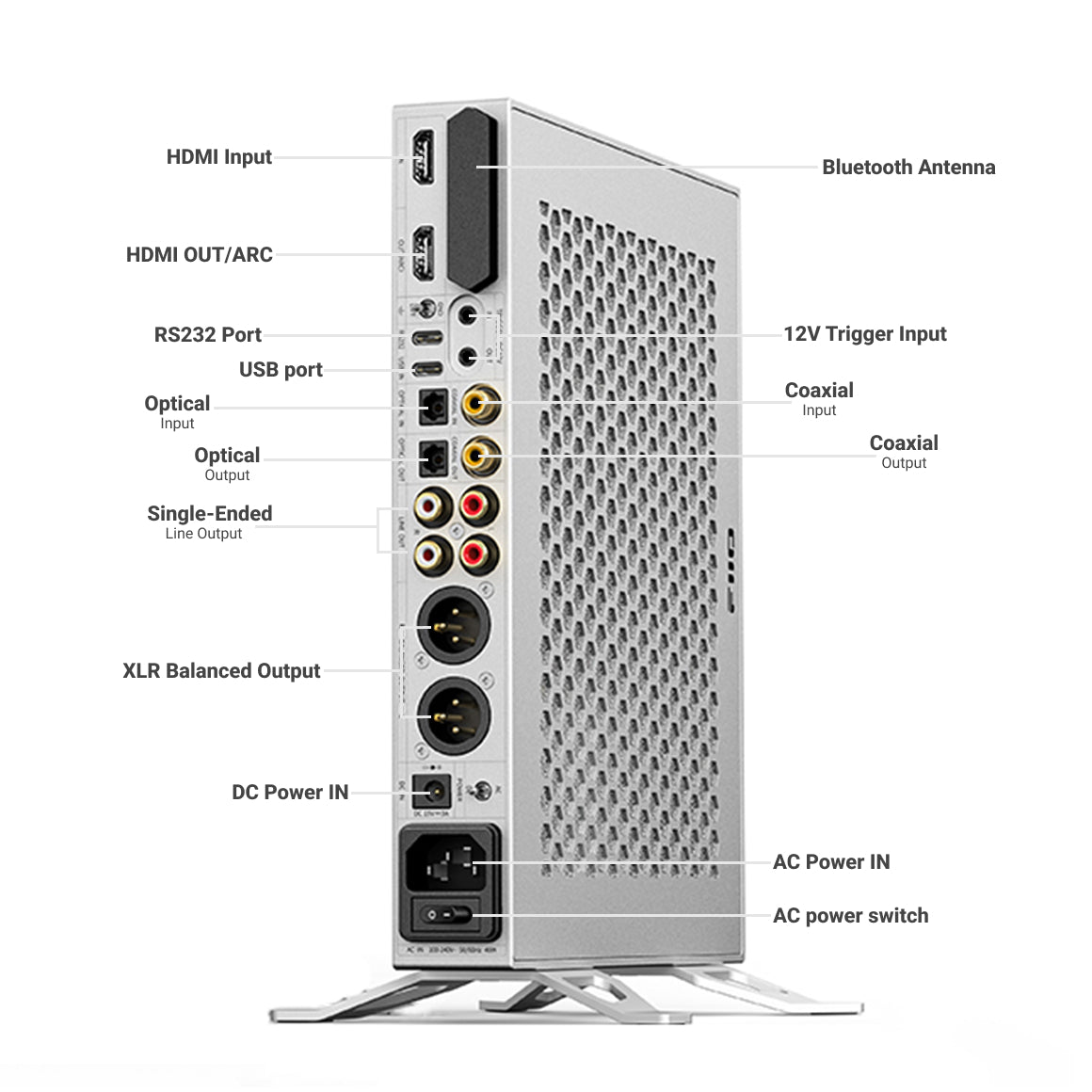
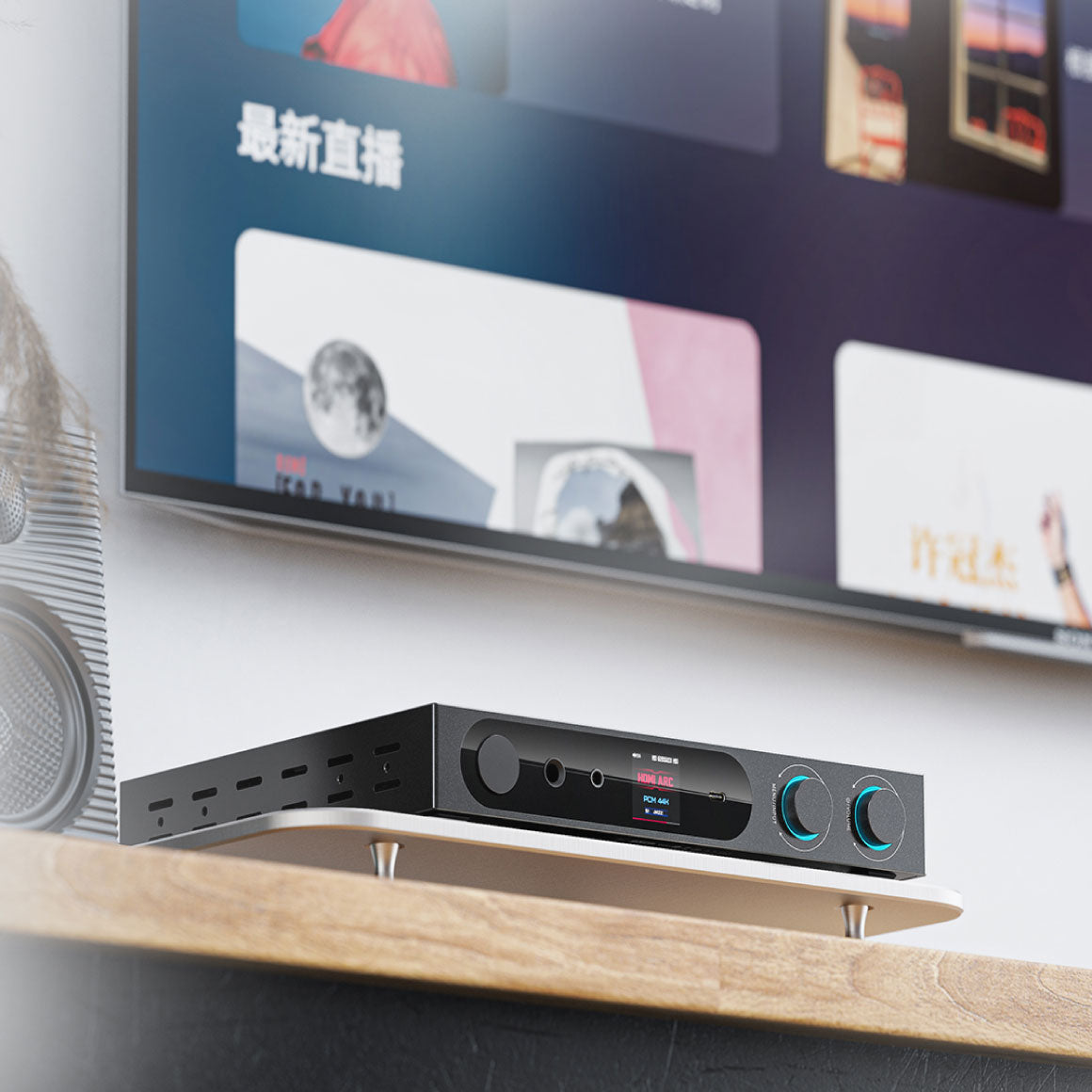
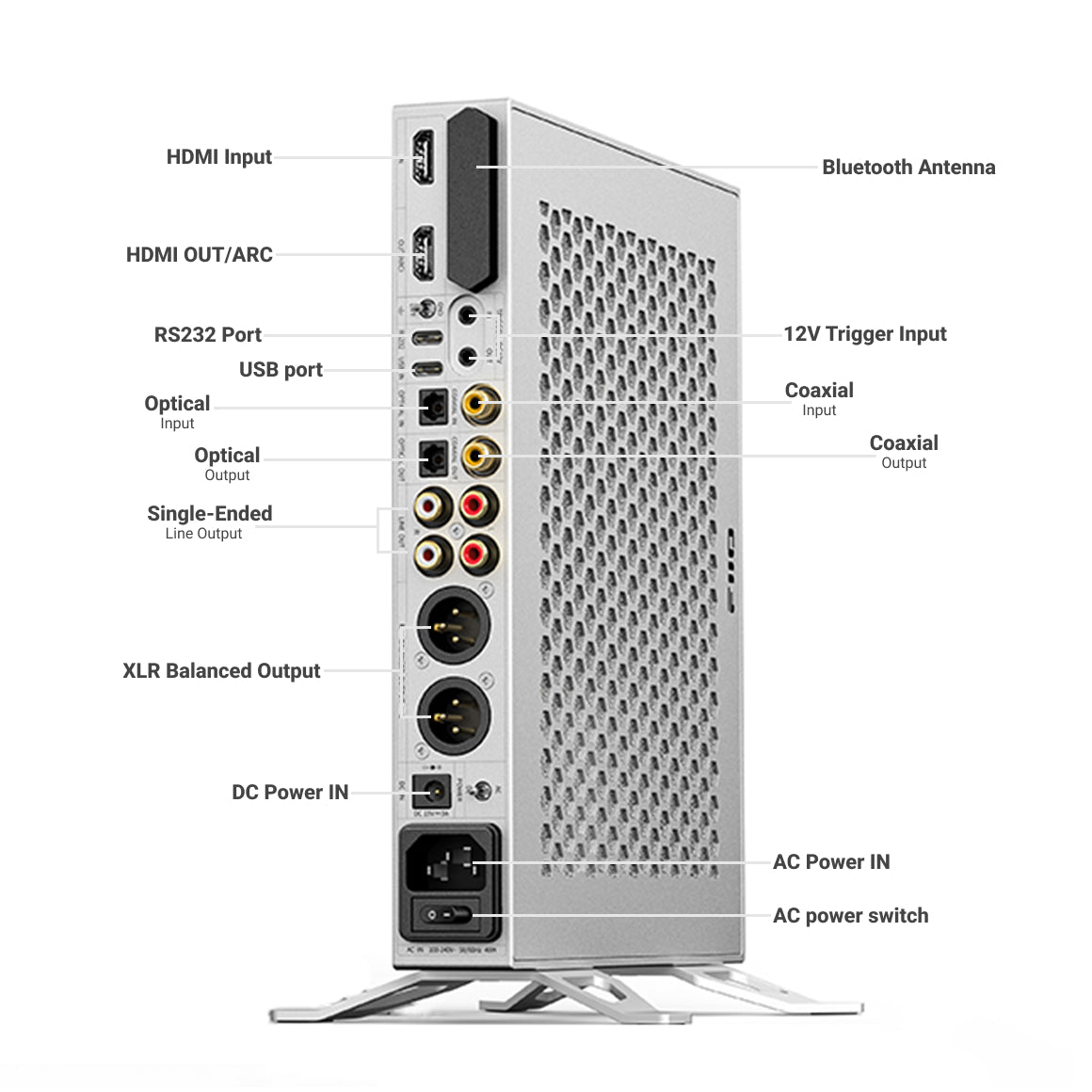
The FiiO K19 has six operating modes, including four analog outputs (volume adjustable) and two digital outputs (COAXIAL and OPTICAL). It features USB decoding with XMOS XU316 for high resolution up to 768kHz/32bit, DSD512 and MQA decoding. Bluetooth input supports aptX HD/aptX Adaptive/LDAC codecs. It also has optical, coaxial, and HDMI inputs, with HDMI ARC support for TV audio return and HDMI decoding up to 192kHz/24bit.
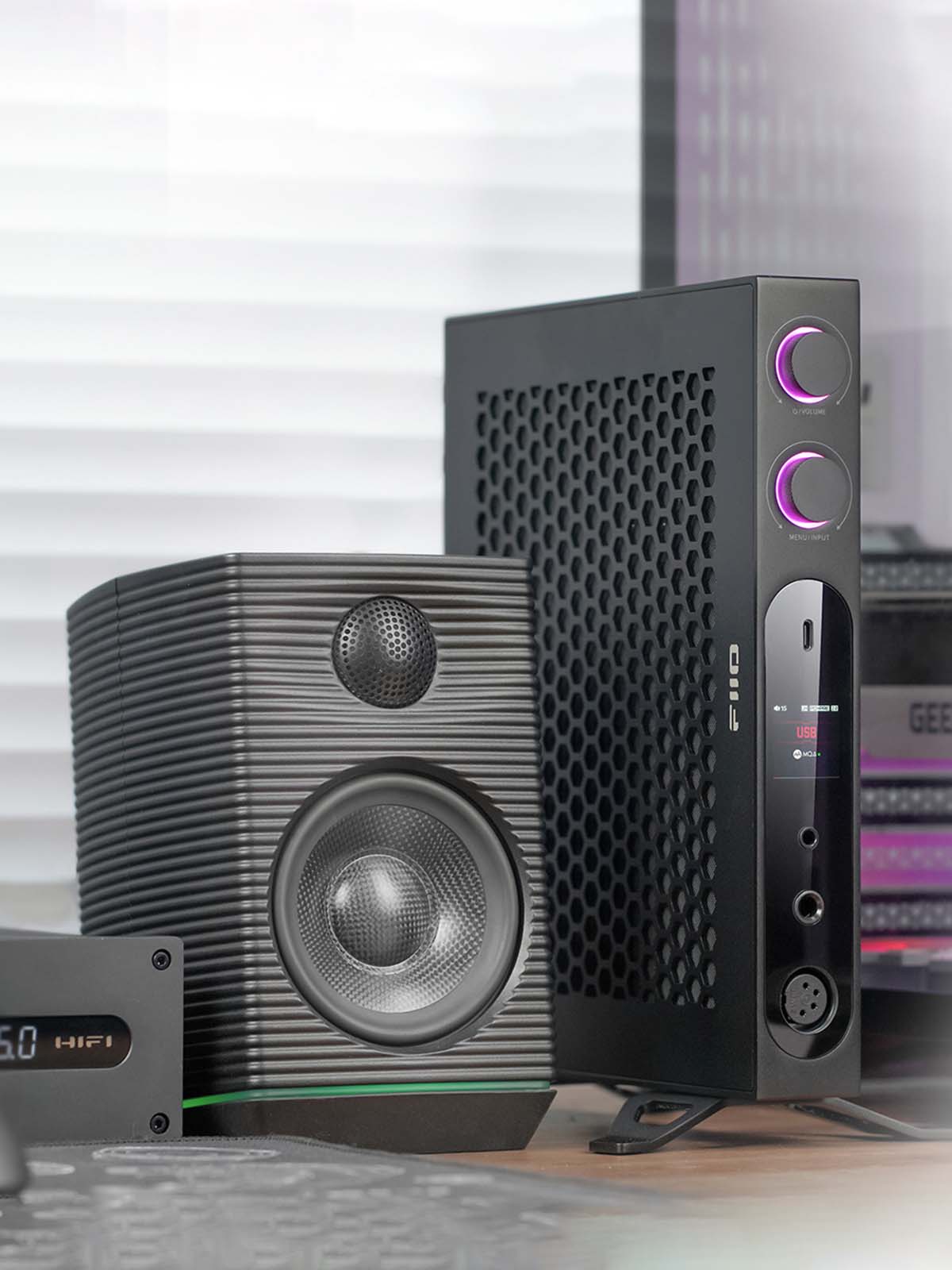
12V Trigger, GND/LIFT Switch And Remote Control For Elevated User Experience
The FiiO K19 features a bidirectional 12V TRIGGER that enables active and passive control modes for synchronised power management switching with other 12V TRIGGER devices. It includes a GND/LIFT ground switch to minimise crosstalk and interference between devices. The FiiO K19 supports the FiiO Control app for convenient access to various functions. The FiiO K19 comes with a custom infrared remote control for remote operation, allowing you to switch between modes, select EQ settings, adjust volume and perform other functions from a distance.
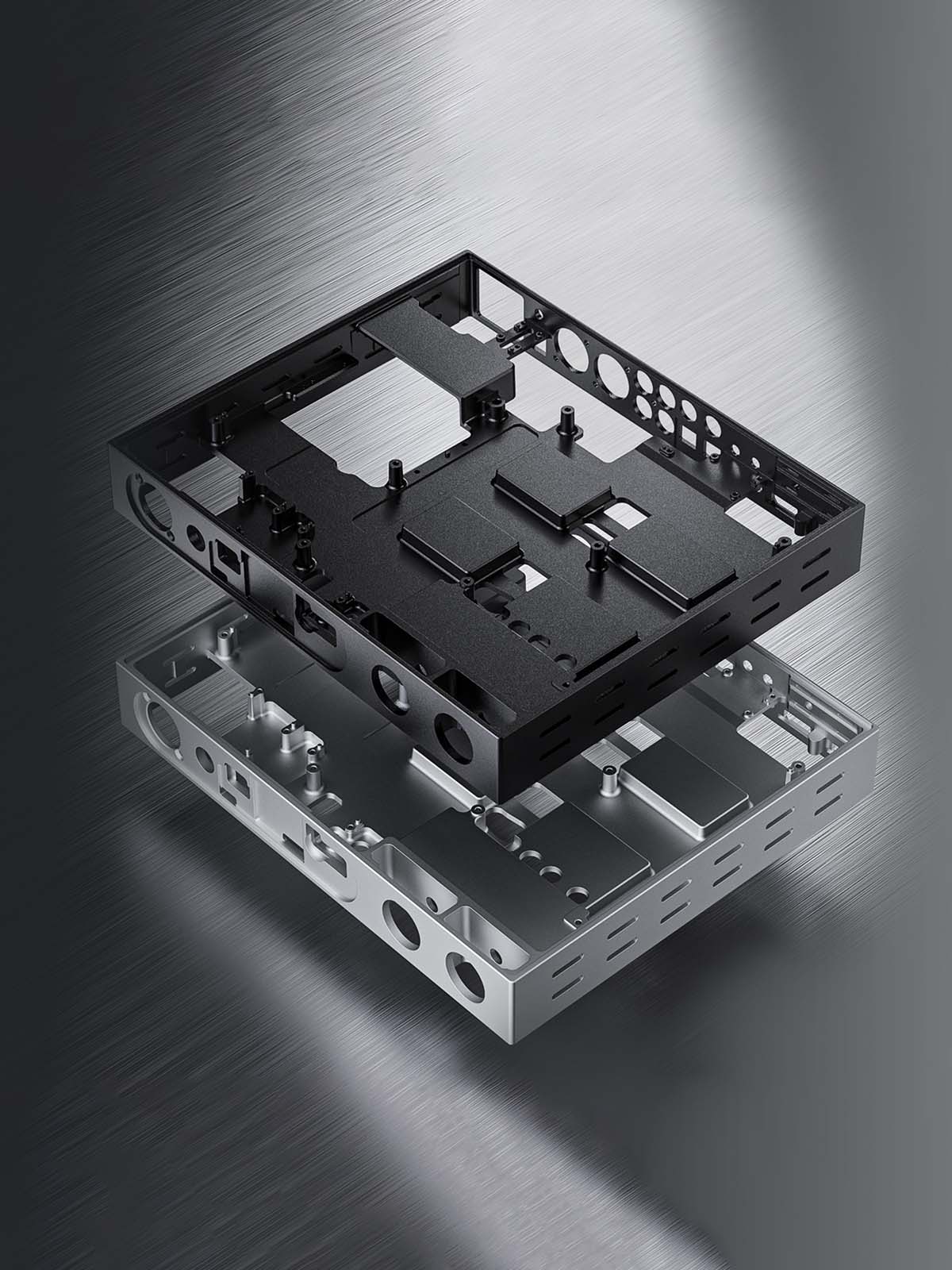
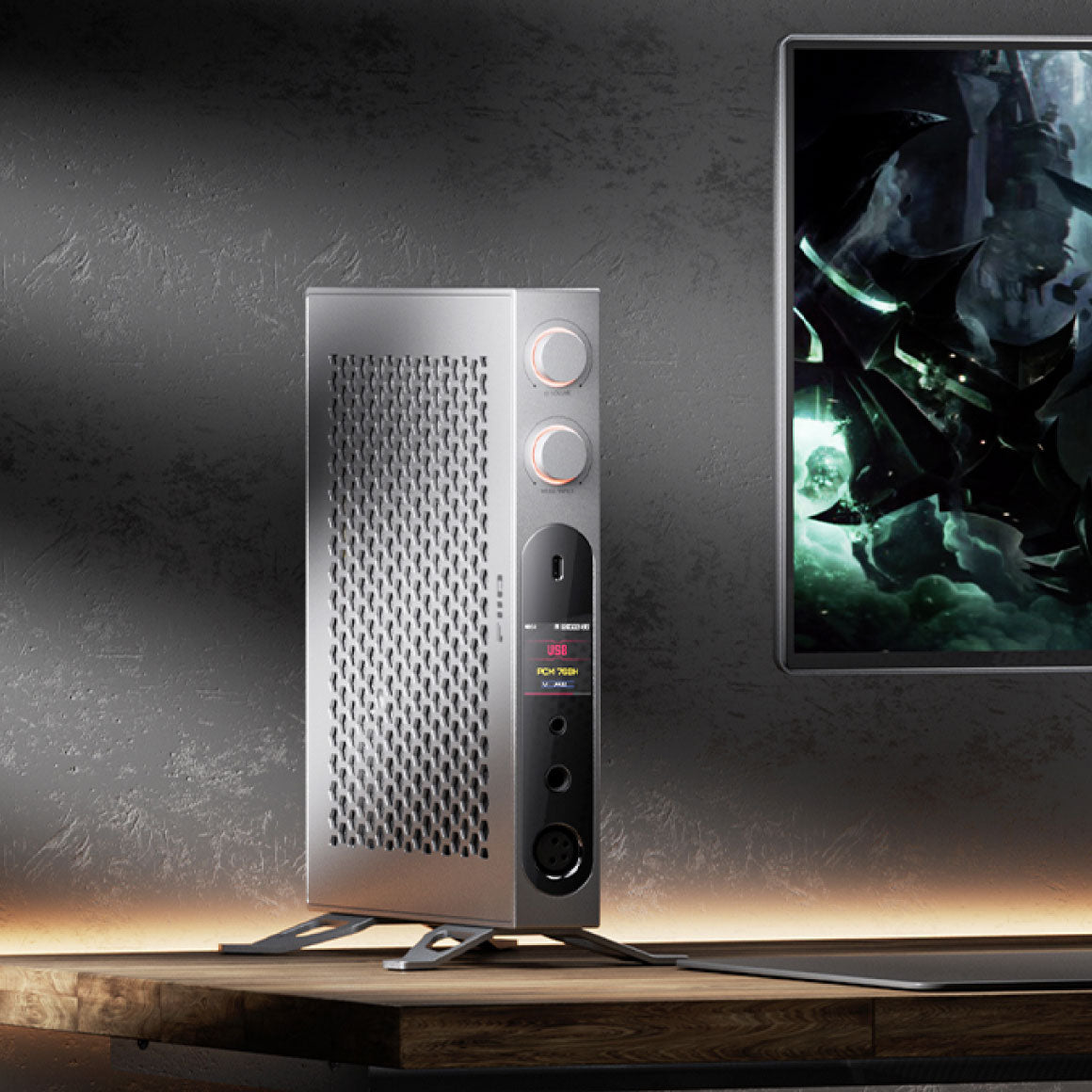
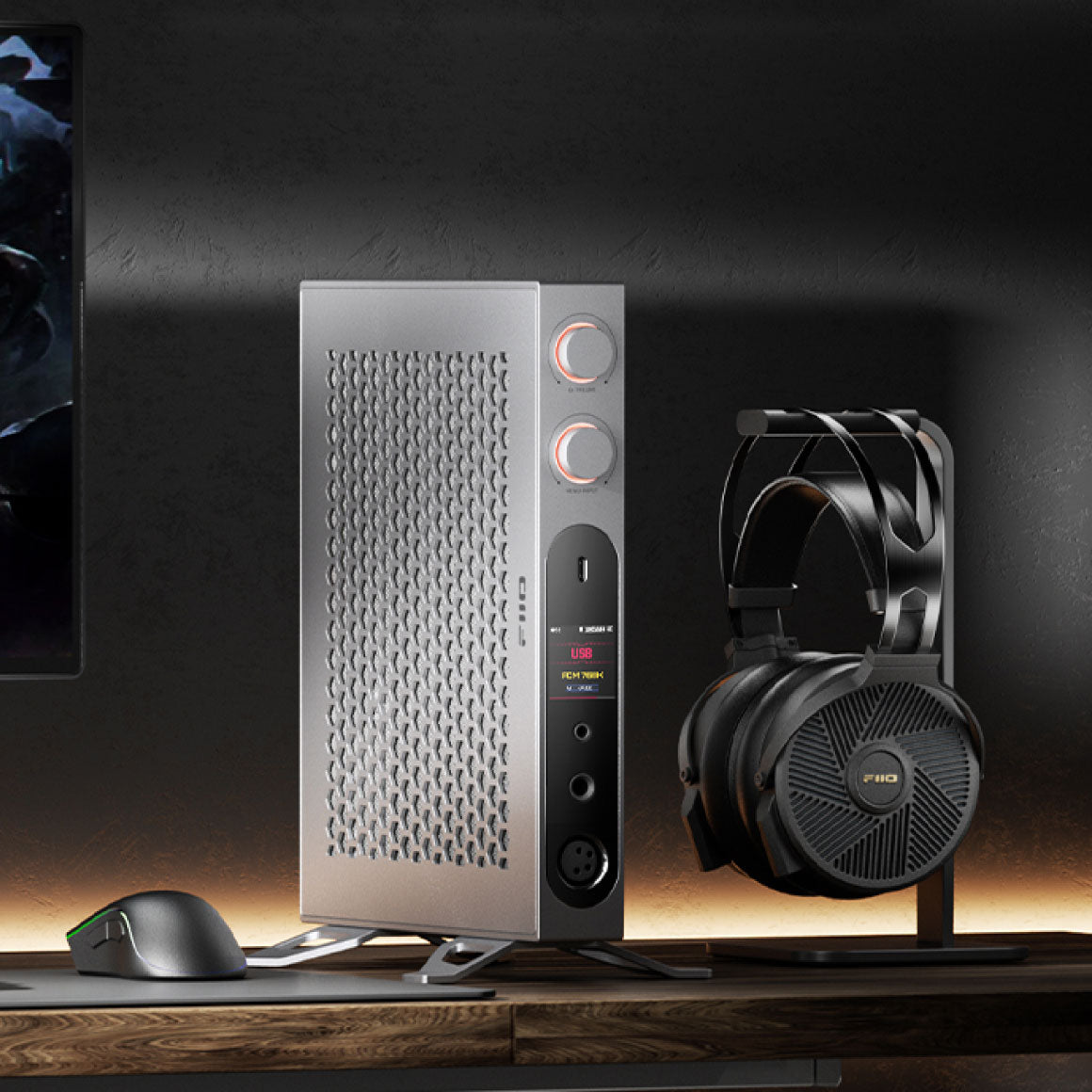
Meticulous Aluminium Alloy Build And A Flexible Placement Design
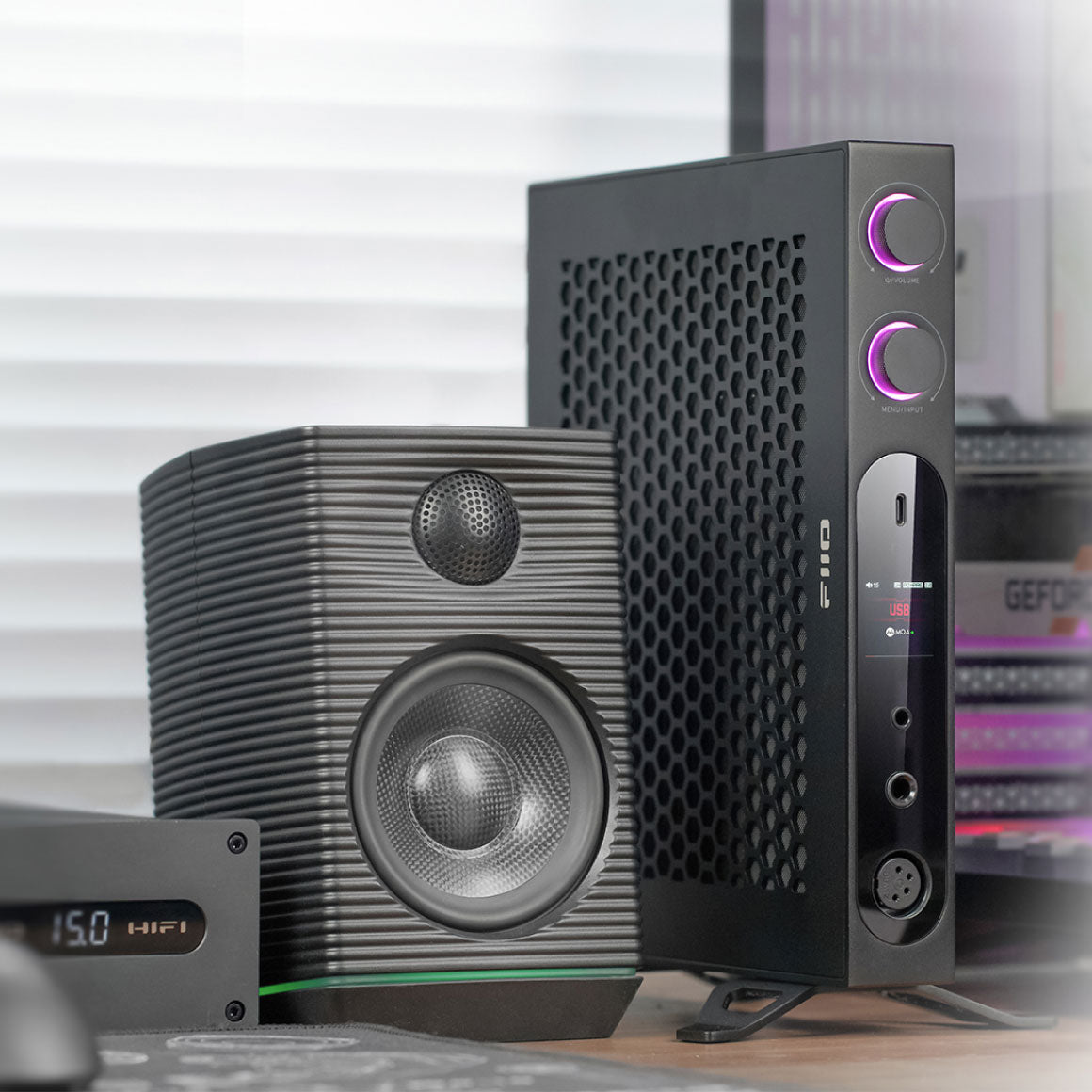
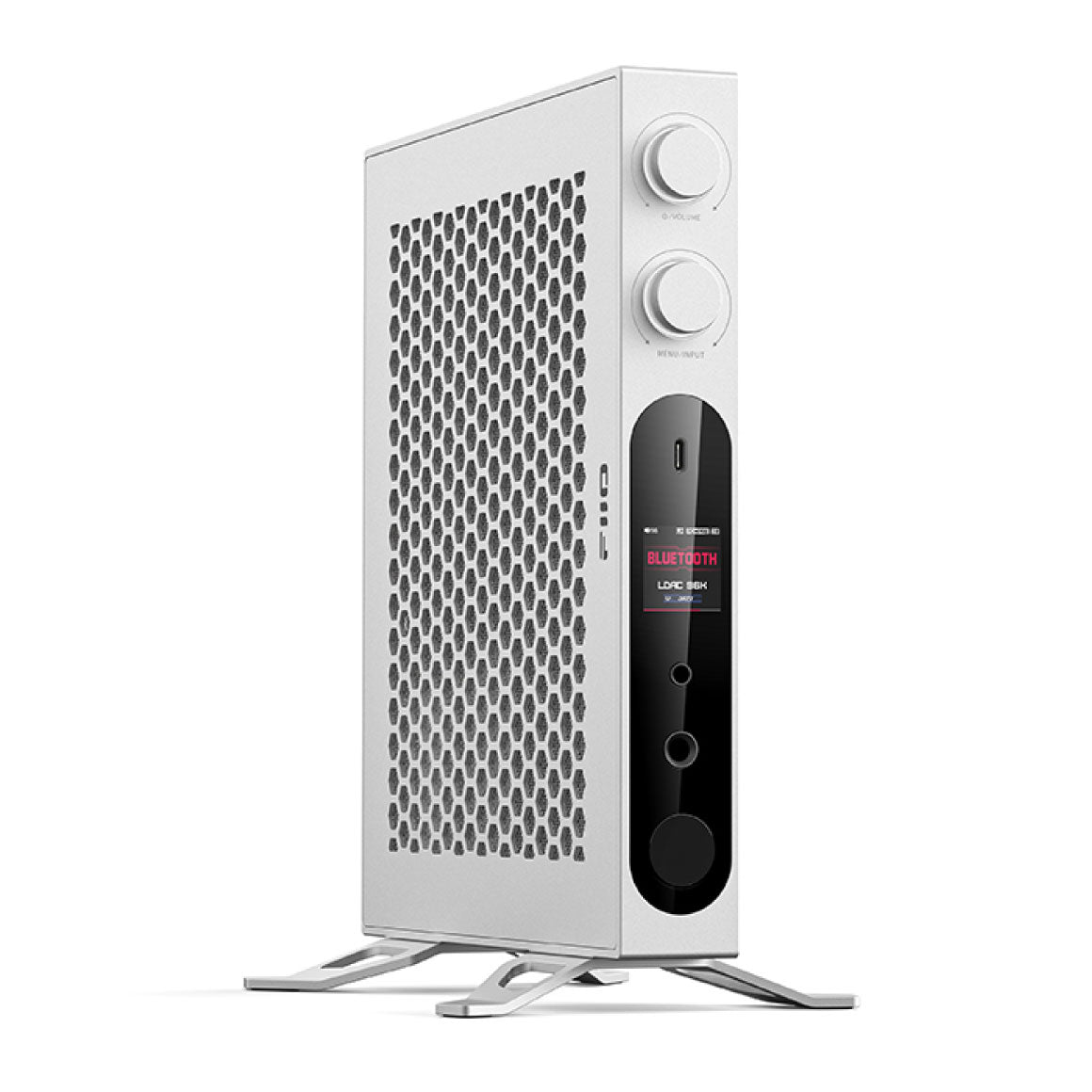
The FiiO K19 showcases a new flagship design with an ultra-thin, shock-proof die-cast unibody aluminium alloy construction. The body is meticulously polished using a multi-axis CNC machine, resulting in a thinner yet durable construction. When combined with the stand, the FiiO K19 offers stability and convenience. Its flexible design allows vertical and horizontal orientations, saving space and effectively dissipating heat. In vertical mode, it serves as a distinctive headphone stand, elevating your user convenience.
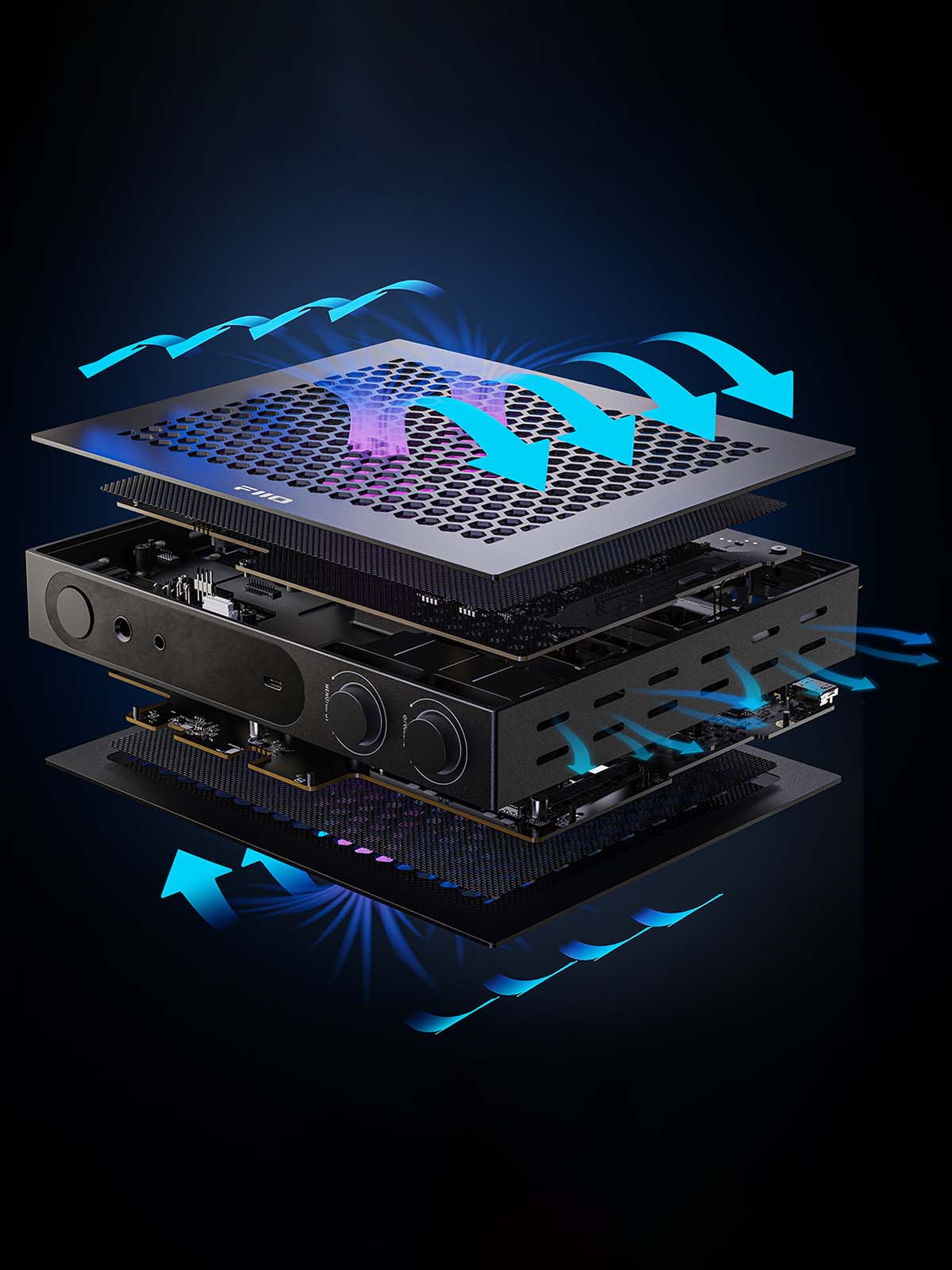
Dual Heat Dissipation Design To Avoid Overheating
The FiiO K19 has a dual heat dissipation system: internally, the thermally conductive materials transfer heat to the aluminium alloy frame, while externally, a honeycomb mesh design promotes convection heat dissipation. This setup enables high power output without overheating. The silicone heat dissipation area is 31717 mm2, while the honeycomb mesh area is 4620 mm2, improving the cooling capacity of the FiiO K19.
All You Need To Know About The FiiO K19
Working Mode
USB DAC mode/Coaxial decoding mode/Optical decoding mode/HDMI decoding mode/HDMI ARC decoding mode/Bluetooth receiving mode
Headphone Output
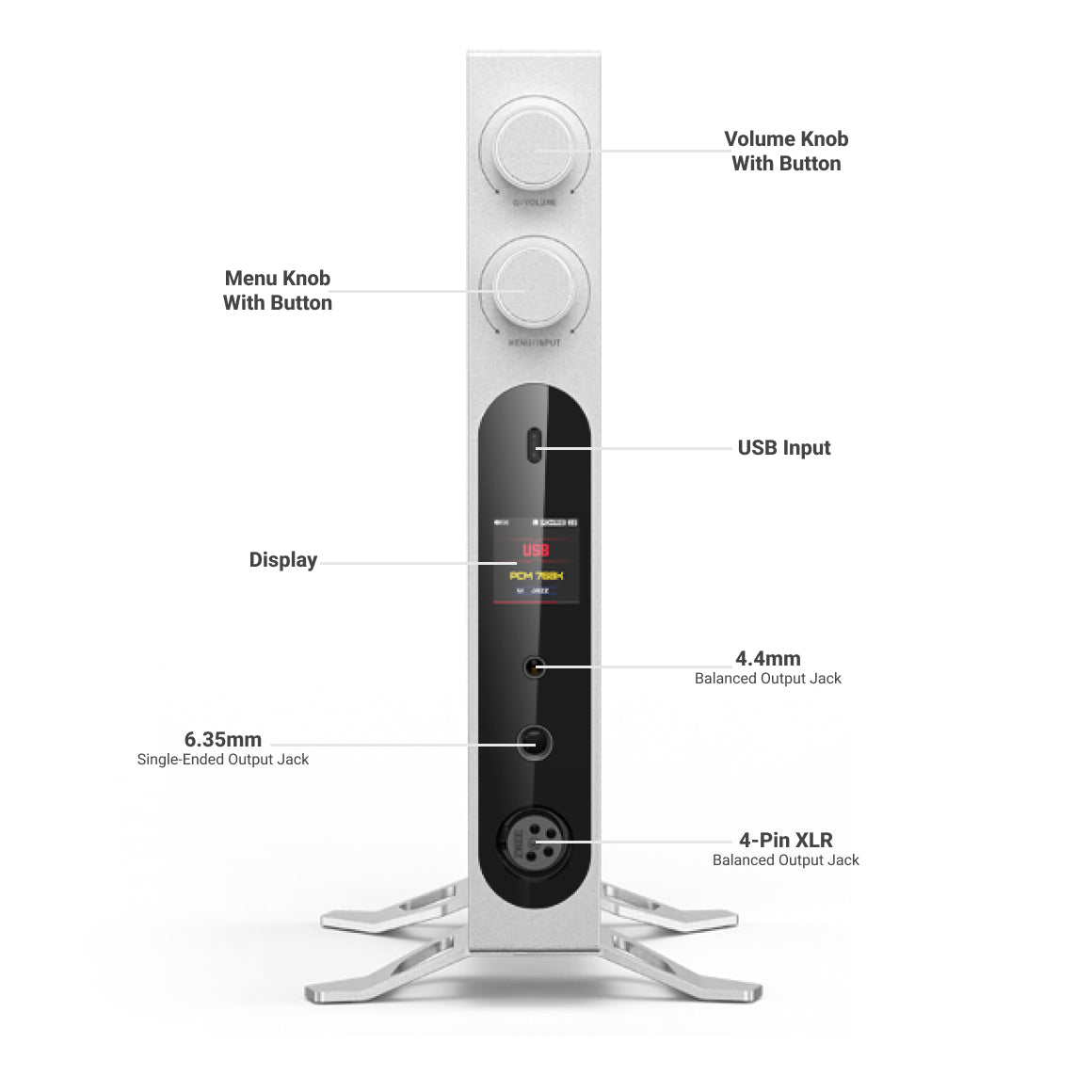
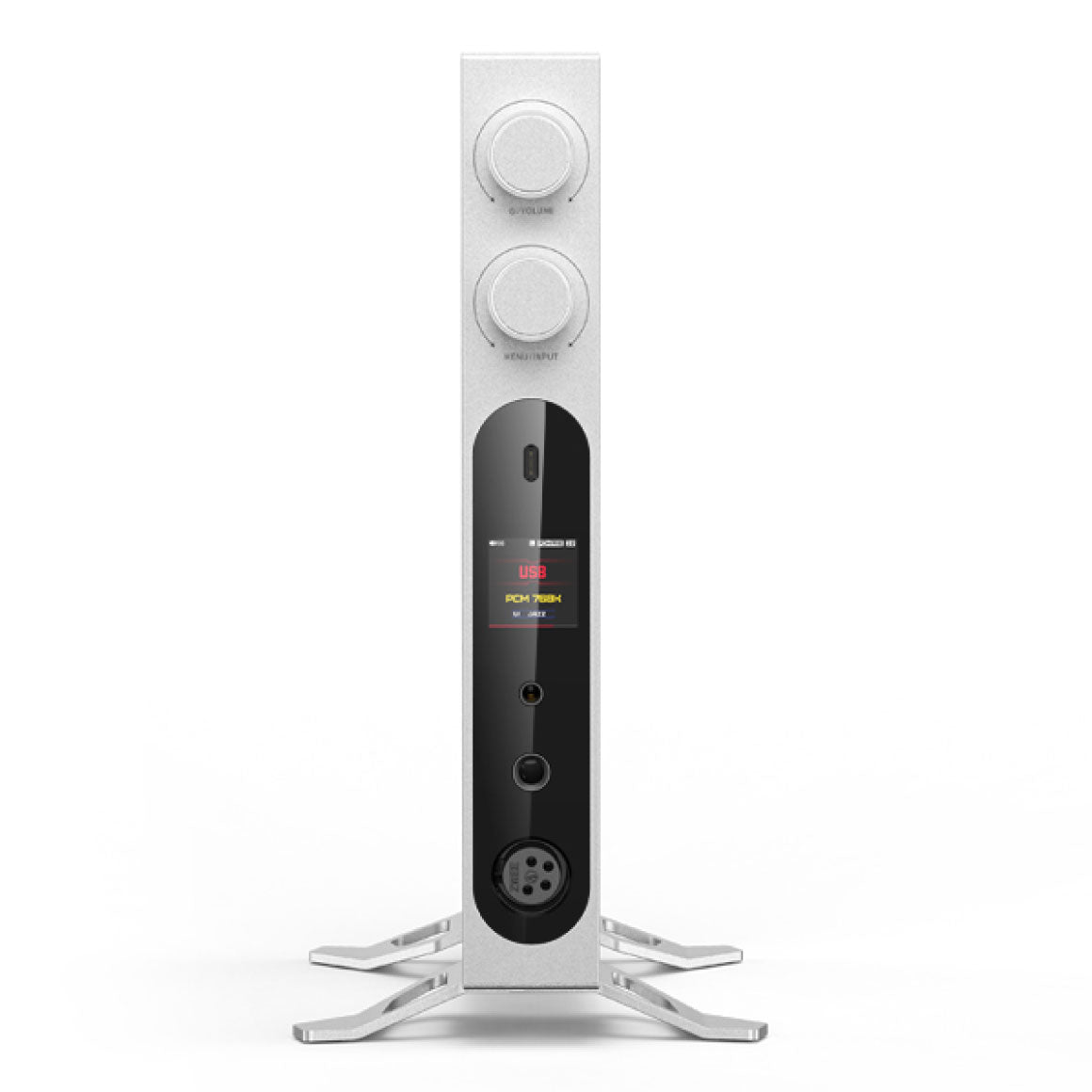
6.35mm (Single-Ended)4.4mm (Balanced)XLR (Balanced)
Input / Output
Input : USB, HDMI, RCA, Optical, Coaxial Output : HDMI, Optical, Coaxial, RCA
Output Impedance
<0.6Ω(32Ω)
Hardware Solution
DAC: Dual ESS Sabre ES9039SPROUSB: XMOS XU316Bluetooth Decoding: QCC5125AMP: 8-way THX788+
Gain
Ultra High Gain/Super High Gain/High Gain/Medium Gain/Low Gain
Display
1.30-inch TFT (240*240) Fully Laminated Screen
MQA
Support MQA Global Decoding
Weight
About 1800g
Buttons
Encoder Knob (volume knob with button*1+menu knob with button*1)
Bluetooth Reception (5.1)
SBC/AAC/aptX/aptX LL/aptX HD/atpX Adaptive/LDAC
Adaptation Impedance
PO:8~150Ω BAL:8~350Ω
Power Supply
Support AC 100-240V~50/60Hz; DC 15V/≥3A (choose one of the two)
Output Power
(6.35mm output, USB DAC/Coaxial decoding/Optical decoding, Ultra high gain mode) Output power 1 : L+R≥4000mW+4000mW(16Ω,THD+N<1%) Output power 2 : L+R≥2300mW+2300mW(32Ω,THD+N<1%) Output power 3 : L+R≥270mW+270mW(300Ω ,THD+N<1%) (6.35mm output, USB DAC/Coaxial decoding/Optical decoding, Super high gain mode) Output power 1 : L+R≥2400mW+2400mW(16Ω,THD+N<1%) Output power 2 : L+R≥1250mW+1250mW(32Ω,THD+N<1%) Output power 3 : L+R≥135mW+135mW(300Ω ,THD+N<1%) (4.4mm/XLR4 output, USB DAC/Coaxial decoding/Optical decoding, Ultra high gain mode) Output power 1 : L+R≥4000mW+4000mW(16Ω,THD+N<1%) Output power 2 : L+R≥8000mW+8000mW(32Ω,THD+N<1%) Output power 3 : L+R≥1100mW+1100mW(300Ω ,THD+N<1%) (4.4mm/XLR4 output, USB DAC/Coaxial decoding/Optical decoding, Super high gain mode) Output power 1 : L+R≥4000mW+4000mW(16Ω,THD+N<1%) Output power 2 : L+R≥5000mW+5000mW(32Ω,THD+N<1%) Output power 3 : L+R≥550mW+550mW(300Ω ,THD+N<1%)
Maximum Supported Sampling Rate
USB Decoding : Supports up to 768kHz/32bit; DSD512 (Native) Coaxial Input Decoding : Supports up to 192kHz/24bit; DSD64 Optical Input Decoding : Supports up to 96kHz/24bit Coaxial output : Supports up to 192kHz/24bit; DSD64 Optical Fiber Output : Supports up to 192kHz/24bit HDMI Decoding : Supports up to 192kHz/24bit HDMI Output : Supports up to 192kHz/24bit HDMI ARC Decoding : Supports 44.1/48kHz
USB Interface
Type-C USB (data transmission interface*2+RS232 DSP adjustment interface*1)
Toggle Switches
DC power supply and AC power supply selector switch*1+ground selector switch*1
Frequency Response
(6.35mm output, USB DAC/Coaxial decoding/Optical decoding, Ultra high gain mode) 20Hz~20kHz: Attenuation 20Hz~80kHz: Attenuation<3dB (6.35mm output, USB DAC/Coaxial decoding/Optical decoding, Super high gain mode) 20Hz~20kHz: Attenuation 20Hz~80kHz: Attenuation<3dB (4.4mm/XLR4 output, USB DAC/Coaxial decoding/Optical decoding, Ultra high gain mode) 20Hz~20kHz: Attenuation 20Hz~80kHz: Attenuation<3dB (4.4mm/XLR4 output, USB DAC/Coaxial decoding/Optical decoding, Super high gain mode) 20Hz~20kHz: Attenuation 20Hz~80kHz: Attenuation<3dB (RCA output, USB DAC/Coaxial decoding/Optical decoding) 20Hz~20kHz: Attenuation 20Hz~80kHz: Attenuation<3dB (XLR3, USB DAC/Coaxial decoding/Optical decoding) 20Hz~20kHz: Attenuation 20Hz~80kHz: Attenuation<3dB
Box Contents
1. FiiO K19 2. Quick start guide 3. Warranty card 4. AC power cord 5. Type-C to USB-A adapter 6. 6.35mm adapter 7. Stand (color-matching with main unit) 8. Vertical headphone stand support (color-matching with main unit) 9. Screwdriver 10. Metal XLR4 dust cover (pre-installed) 11. Feet stands 12. Screws 13. USB2.0 data cable 14. Dual Type-C data cable 15. 3.5mm audio cable 16. Infrared Remote Control
Have a question? Get in touch!
Check out the most common questions our customers ask. Still have questions? Talk to our Headphone Gurus.

Our customer support is available Monday to Friday: 11am-6pm.
What is the warranty period on the FiiO K19 and how do I claim warranty?
The warranty period on FiiO K19 is for 1 year. To read more information click here.
How to control FiiO K19 on FiiO Music App or FiiO Control?
Download the latest FiiO Control APP For Android and iOS on your phone. After connecting FiiO K19 to your mobile phone via Bluetooth, open FiiO Control APP, find FiiO K19 in My Products page and click Connect. After a successful connection, you will enter the Bluetooth control page of FiiO K19. What to do if the phone cannot be connected: 1. Try to restart FiiO K19 and connect again 2. It is not recommended to use FiiO Control and FiiO Music at the same time. During Bluetooth high bit rate transmission, if you set FiiO Control, there may be conflicts. It is recommended to use FiiO Music to play music after the setting is completed. 3.Please turn on the location of the mobile phone, turn off the FiiO Control APP, and reconnect it 4. It is recommended to set K19 to Bluetooth working mode first. Open FiiO Control to connect FiiO K19 after the mobile phone searches for FiiO K19 device in "Settings - Bluetooth" and connects to it successfully.
How to use the FiiO K19 as a USB DAC for mobile phones?
The FiiO K19 does not have a battery, and is powered by an external power supply. You can purchase an OTG adapter cable to connect to an Android phone, an Apple phone or a player. Android phone 1. FiiO K19 input setting: Switches to USB working mode using menu knob 2. FiiO K19 output setting: switch to the corresponding output port according to the interface used, switch to [PO] or[PO+PRE]for the front panel, switch to[PO+PRE], [PRE] or [LO] for the rear panel. 3. Connect the mobile phone and FiiO K19 through the type-C to type-C cable comes with FiiO K19 or other OTG cable to use. [Note] If there is no sound after you connect, you need to pay attention to the following points: 1. Mobile phone playback software settings. If there is a USB output, it needs to be turned on, and some devices have to turn off the USB output to have sound. 2. Confirm whether the mobile phone developer mode has enabled USB debugging. On the mobile phone, you need to turn on USB debugging, turn on "Developer Options", and then turn on the "USB debugging" or "OTG" function. 3. Confirm that the transfer cable supports the OTG function, and whether the direction of the cable is reversed. 4. Since the USB audio of various brands of mobile phones is not standardized at present, FiiO does not guarantee full compatibility. According to the above connection method, if it is not supported, it is recommended to try other mobile phones or connect to the computer DAC to rule out whether the hardware of some devices is bad (such the probability of the situation is small), if it is not possible to connect to the computer, consider repairing or replacing the machine. iPhone/iPad It is necessary to purchase a Lightning to Type C data cable with OTG function (such as LT-LT1) to connect FiiO K19 and iPhone/iPad/iPod(You could use the type-C to type-C cable comes with the FiiO K19 if you are using iPhone 15 or above device.), and enjoy high-quality music by playing songs. [Note] When the iOS device is decoding, adjusting the volume of the iOS device is invalid. Does FiiO K19 support driverless function? Yes. In the system setting menu of the K19, you could switch U-AUDIO option to UAC 1.0. PS5, Switch and other drive-free devices can be supported.
How to use the FiiO K19 as Bluetooth receiver?
How to use Bluetooth function? 1. After power on, switches to Bluetooth working mode using menu knob 2. Open the Bluetooth settings on the mobile phone, find K19 and click 3. Select the corresponding headphone port output: switch to the corresponding output port according to the interface used, switch to [PO] or[PO+PRE]for the front panel, switch to[PO+PRE], [PRE] or [LO] for the rear panel. Note: After turning it on, the Bluetooth control function of FiiO K19 can be used at any time. As long as it is turned on, K19 can be set through software without switching to BT mode. Clear pairing If you have already connected to other Bluetooth devices, you can do a factory reset through the setting menu to force K19 enter pairing mode and connect with a new device. If you don't want to factory reset the FiiO K19, you can choose to clear the K19 from pairing individually through the FiiO Control APP menu after connecting the mobile phone to the K19. No response after Bluetooth connection 1. Restart FiiO K19 2. Clear the pairing of FiiO K19 3. Delete the FiiO K19 from the Bluetooth settings on the mobile phone and pair it again 4. Do a factory reset through the setting menu to force FiiO K19 enter pairing mode and connect with a new device.
How to use the HDMI IN and HDMI ARC mode in FiiO K19?
How to use the HDMI IN mode? The HDMI IN mode of the FiiO K19 supports audio and video signal reception, as well as transmitting the received video signals to the monitor. 1. Switch to HDMI mode using menu knob. 2. Connect the audio device with HDMI output to the HDMI IN port of the FiiO K19, and then connect the HDMI OUT port of the FiiO K19 to the monitor to cast the display of the audio device to the monitor, and the sound will be decoded and output on the K19 (e.g., connect the computer to the HDMI IN of the FiiO K19, and then connect the FiiO K19’s HDMI OUT to the monitor). 3. When connecting the FiiO K19 to an audio device, such as a computer, you need to select the corresponding sound card device in the audio settings on the computer. How to use the HDMI ARC mode? 1. Connect an audio device with ARC function to the HDMI OUT (ARC) port of the FiiO K19. 2.Switch the input mode of FiiO K19 to HDMI ARC mode using menu knob. 3. On the ARC audio device side, Settings - Sound Settings - Output Options,confirm that the current output has been switched to HDMI (ARC) output mode 4. After playing the audio/video in ARC audio device, if the FiiO K19 has no output, you can check the FiiO K19 HDMI ARC interface, the sample rate showing in the display. Generally, the output sampling rate is 48kHz for ARC out. 5.If there is no sound when the sampling rate is confirmed to be 48kHz, please try to adjust the ARC volume from the audio source device side.
How to use FiiO K19 optical, coaxial function?
1. The use of coaxial and optical input is similar. After powering up, switches to optical/coaxial working mode using menu knob. 2. Input setting: connect the coaxial or optical fiber cable to the corresponding input port. 3. Output setting: select the corresponding headphone port output: switch to the corresponding output port according to the interface used, switch to [PO] or[PO+PRE]for the front panel, switch to[PO+PRE], [PRE] or [LO] for the rear panel. [Note] FiiO player uses coaxial output, pays attention to use the coaxial adapter cable delivered with the player, changes PO output to SPDIF, and changes SPDIF to D2P.
Product Title